
Maya vs 3ds Max Modeling Tools: Key Differences Explained
Explore the key differences between Maya vs 3ds Max modeling tools to choose the best fit for your 3D modeling needs in 2026.
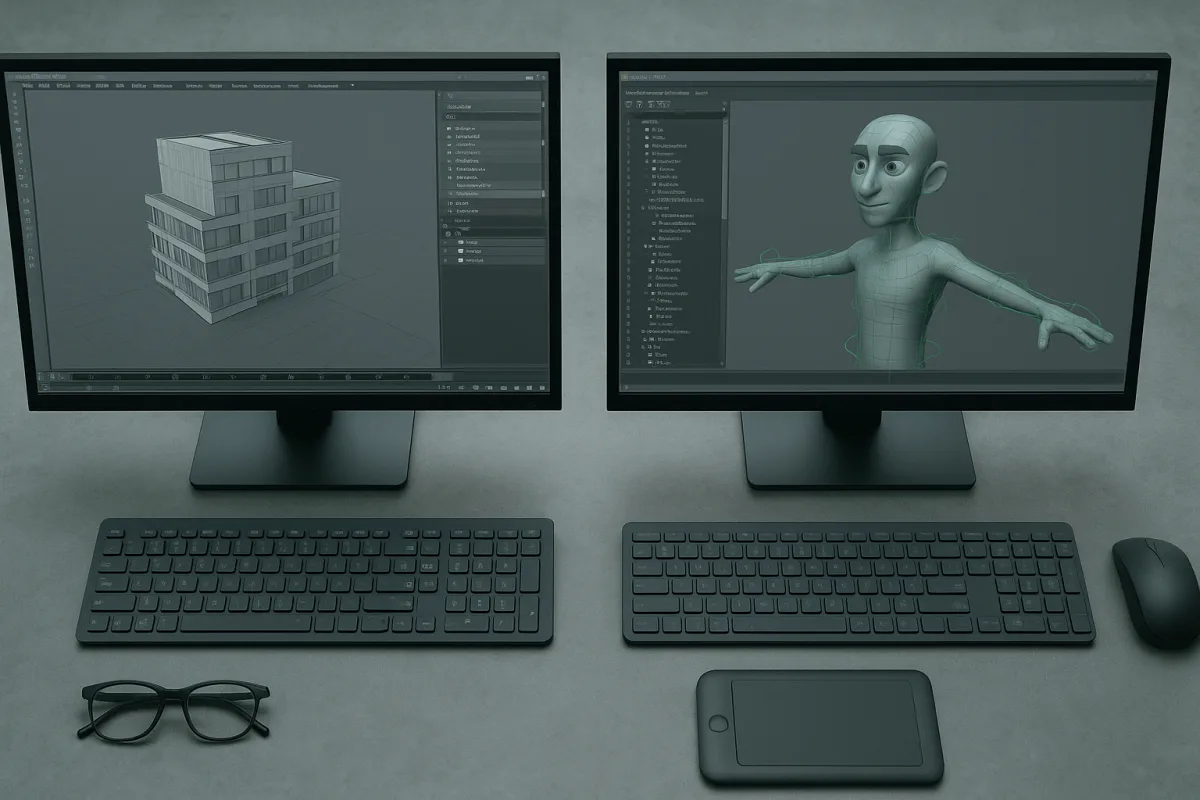
The decision: Maya 2026 or 3ds Max 2026?
The choice is not really between a “character package” and a “modeling package.” Autodesk Maya 2026 and Autodesk 3ds Max 2026 both have serious polygon toolsets, subdivision workflows, scripting, scene management, and interchange support. [1][6]
The useful question is what kind of decisions you need to preserve while modeling. For a product housing with six alternate panel layouts, 3ds Max’s modifier stack makes iteration unusually legible. For a creature whose face, joints, and costume need to survive rigging, Maya is the safer default. [6][7]
That distinction is partly industry convention, not physics. A disciplined artist can build a game prop in Maya or a character asset in 3ds Max. The package becomes important when your files meet colleagues, established studio tools, automation, and client revisions. [11][13]
Head-to-head comparison
| Criterion | Autodesk Maya 2026 | Autodesk 3ds Max 2026 | Practical decision |
|---|---|---|---|
| Core modeling logic | Direct, flexible polygon modeling with a highly configurable, node-oriented workflow. [[1]](https://www.autodesk.com/compare/3ds-max-vs-maya?msockid=0ebb83b224846bed1be1955225166a1a&utm_source=openai "Maya vs. 3ds Max | Compare M&E Products | Autodesk")[6] |
| Hard-surface assets | Fully capable, especially when topology must later support deformation or pipeline handoff. [7] | Particularly well suited to architectural, product, and hard-surface work because modifiers preserve options. [7][[11]](https://irendering.net/autodesk-maya-vs-3ds-max-best-choice-for-architects-and-game-artists-in-2026/?utm_source=openai "Autodesk Maya vs. 3ds Max: Best Choice for Architects and Game Artists in 2026 | iRender Render Farm") |
| Organic and character work | Strong polygon tools alongside established character, rigging, and animation workflows. [[1]](https://www.autodesk.com/compare/3ds-max-vs-maya?msockid=0ebb83b224846bed1be1955225166a1a&utm_source=openai "Maya vs. 3ds Max | Compare M&E Products | Autodesk")[6] |
| NURBS | Comprehensive, actively supported NURBS workflow. [6][7] | NURBS tools are legacy and largely unsupported in recent releases. [6][7] | Maya wins decisively if surface-based NURBS modeling is part of the brief. |
| Subdivision surfaces | Catmull-Clark subdivision workflow. [6] | NURMS subdivision integrates closely with Editable Poly work. [6] | This is close. Good base topology matters more than the label on the subdivision method. |
| Non-destructive revision | Construction history and nodes can be powerful, but demand deliberate organisation. [6] | Modifiers make common changes, such as bevels, bends, symmetry, and booleans, easy to inspect and reorder. [6][7] | 3ds Max is usually faster to read and revise for hard-surface jobs. |
| Interface and learning | Deeply customizable, but its flexibility comes with a steeper learning curve. [6][[13]](https://digitalicence.com/autodesk-3ds-max-vs-maya-2026/?utm_source=openai "Autodesk 3ds Max vs Maya 2026 – Which Tool to Choose? | DigitaLicence") | More straightforward for many modelers because the stack and spline tools expose the order of operations. [6] |
| Scripting | MEL and Python support custom tools and pipeline automation. [[1]](https://www.autodesk.com/compare/3ds-max-vs-maya?msockid=0ebb83b224846bed1be1955225166a1a&utm_source=openai "Maya vs. 3ds Max | Compare M&E Products | Autodesk")[6] |
| Interchange and connected workflows | Supports FBX and OpenUSD, with OpenUSD integrated since 2022. [[1]](https://www.autodesk.com/compare/3ds-max-vs-maya?msockid=0ebb83b224846bed1be1955225166a1a&utm_source=openai "Maya vs. 3ds Max | Compare M&E Products | Autodesk")[9] |
| Platform and hardware | Similar broad requirements, including modern 64-bit Windows, multicore processing, and substantial memory for complex scenes. [[8]](https://www.winapplications.com/software/3ds-max/system-requirements?utm_source=openai "3ds Max System Requirements 2026 | WinApplications") | Windows-only, with more detailed published guidance around dedicated GPU support and complex-scene hardware. [[8]](https://www.winapplications.com/software/3ds-max/system-requirements?utm_source=openai "3ds Max System Requirements 2026 |
| Cost position | Premium, though the Indie route may reduce the cost for eligible creators. [3] | Premium, with ordinary subscription pricing reported as modestly lower than Maya’s. [4] | Compare current local terms and eligibility, rather than assuming 3ds Max is always the cheaper entry point. |
Modeling workflow: history versus flexibility
3ds Max’s defining modeling advantage is not that it contains a secret set of better polygons. It is that the modifier stack keeps common hard-surface decisions live. A Shell, Bend, Symmetry, TurboSmooth, or bevel-related adjustment can remain visible and reorderable. [6][7]
That matters when the brief is unstable, which is normal in visualization. A client may ask for thicker trim, a different window rhythm, softer edge treatment, or a shorter cabinet after materials and cameras already exist. Preserved construction steps reduce rebuilds.
This is a habit, not a rule. A messy stack can become as opaque as any node graph, especially when modifiers depend on fragile selections or an early topology decision. The benefit comes from naming, grouping, and collapsing deliberately, not merely refusing to apply anything.
Maya’s polygon tools are more general-purpose in feel. You can move between hard-surface blocking, organic forms, retopology-minded edits, UV preparation, and deformation-aware modeling without changing the conceptual centre of the application. [1][7]
For character assets, that continuity matters. The model is rarely finished at the moment it looks right in a still viewport. Edge loops must support expressions, shoulders, elbows, cloth intersections, blend shapes, and rig controls, so Maya’s modeling and animation ecosystem aligns well. [1][6]
Maya is also the clear answer for active NURBS work. 3ds Max still contains NURBS features, but they are legacy tools rather than a modern, actively developed workflow. Do not select 3ds Max for surface modeling because an old feature list says it has NURBS. [6][7]
Subdivision is much closer than marketing language suggests. Maya uses Catmull-Clark subdivision and 3ds Max integrates NURMS subdivision into Editable Poly workflows. In either program, clean support loops, sensible poles, controlled density, and a consistent smoothing strategy determine the result. [6]
Interface, automation, and pipeline fit
Maya’s interface can feel demanding because it exposes many ways to structure work. Its node-based character is useful when building larger systems, but it asks the artist to understand dependencies rather than simply follow a linear modeling sequence. [6][13]
3ds Max tends to make the order of operations more immediately visible. Splines feed modifiers, modifiers feed the final surface, and the stack becomes a practical record of intent. That is especially approachable for people coming from architectural or product-design thinking. [6][11]
Both can be automated, but their scripting histories differ. Maya supports MEL alongside Python, while 3ds Max supports MAXScript alongside Python. That distinction becomes consequential when inheriting studio tools, asset publishers, validation scripts, or a technical artist’s existing library. [1][6]
For current interchange, both support FBX and OpenUSD. Maya’s integrated OpenUSD path is relevant to USD-based VFX workflows, while 3ds Max has specific advantages for NVIDIA Omniverse connections and Unreal Engine Datasmith-oriented work. [1][10][16]
Both applications have introduced AI-related features in 2026, but their impact on everyday modeling practice is still emerging. Maya’s reported tools include MotionMaker and Wonder 3D, while 3ds Max has editable Gaussian Splats. Neither is a sound primary reason to choose today. [9]
The research does not provide a detailed, like-for-like comparison of lighting or look-development tools. Maya’s Arnold integration is relevant, but no supported evidence here establishes a general final-rendering winner over 3ds Max for equivalent scenes. [1]
Cost, hardware, and the broader tool field
Both Autodesk applications sit in the premium tier, and both offer Flex token options. Standard 3ds Max subscriptions are reported as lower than standard Maya subscriptions, but Maya’s Indie offering can make it substantially more accessible for creators meeting its eligibility conditions. [3][4]
This is one area where checking current terms matters more than memorising a comparison article. Subscription offers, regional pricing, tax treatment, and Indie eligibility can change. Treat an application’s purchase cost separately from workstation upgrades, plugins, training, and lost production time.
Hardware guidance is broadly similar: modern 64-bit Windows, a multicore CPU, adequate memory, and a dedicated GPU are sensible baselines. Complex scenes benefit from more memory, but the supplied research contains no controlled evidence that one package is consistently faster. [8]
Blender is the entry-level generalist alternative in this field, suited to broad 3D modeling and animation without licence cost. Its professional scope is real, but its learning curve does not disappear simply because the download is free. [14]
ZBrush is premium and best placed for digital sculpting, particularly character creation. It complements Maya or 3ds Max rather than replacing their scene-building and pipeline roles, when the work requires dense sculptural detail and later retopology.
Cinema 4D is mid-range and suits motion graphics and procedural modeling. Houdini is premium and suits deeper procedural modeling and visual effects. Both are worth considering when the asset is better described as a system of rules than a single manually edited mesh.
Plasticity sits in the mid-range field for hard-surface modeling, with a modern approach available across Mac, Windows, and Linux. It suits artists prioritising direct hard-surface construction, rather than those needing a complete character-animation production environment.
Nomad Sculpt is entry-level and suits portable sculpting on iOS and Android. It makes sense for sketching forms away from a workstation, but the supplied research positions it as a mobile sculpting tool, not as a replacement for either Autodesk package’s full production workflows.
Marmoset Toolbag is mid-range and suits real-time rendering and baking. It belongs beside a Maya or 3ds Max asset workflow when presentation renders and texture-map baking are the priority, rather than acting as the application where the whole scene is constructed.
Adobe Substance 3D Modeler is premium and suits VR and signed-distance-field modeling. Modo is mid-range and suits artists seeking robust modeling tools at a more approachable field position. Neither removes the underlying Maya versus 3ds Max pipeline decision.
Who each option suits
Autodesk Maya 2026 suits the premium-tier artist aiming at character modeling, rigging, animation, film, television, VFX, or game-character pipelines. Choose it when the mesh must become a deforming performer, when NURBS matter, or when a Maya-based team will receive your files. [1][6][11]
Autodesk 3ds Max 2026 suits the premium-tier artist making architectural visualization, product design, environment assets, and hard-surface work with frequent revisions. Choose it when spline construction and a readable modifier stack will save more time than character-pipeline integration. [6][7][11]
For a solo generalist who moves between characters, props, scenes, sculpting, baking, and rendering, the honest answer is close. Pick the package used by your intended clients or collaborators, then add the specialist tool that fits the weak point in your workflow.
Frequently Asked Questions
What are the key differences between Maya and 3ds Max modeling tools?
Maya uses a direct, flexible polygon modeling approach with a highly configurable, node-oriented workflow, while 3ds Max relies on Editable Poly modeling supported by a visible modifier stack and strong spline workflows. Maya maintains comprehensive, actively supported NURBS tools, whereas 3ds Max’s NURBS features are largely legacy and unsupported in recent versions. The two encourage different modeling workflows: Maya favors flexible construction, and 3ds Max favors an obvious history of reversible operations.
Which is better for architectural modeling, Maya or 3ds Max?
3ds Max is particularly well suited for architectural visualization, product design, and hard-surface modeling because its modifier stack preserves modeling options and makes iteration clearer. It is the stronger default choice for buildings, furniture, vehicles, and product variants. Maya is capable but less commonly used in these areas compared to 3ds Max.
How do Maya and 3ds Max differ in handling character modeling?
Maya is the more natural choice for character modeling as it has strong polygon tools integrated with established character rigging and animation workflows. 3ds Max can model characters but is less commonly central to film, VFX, and character-animation pipelines. Maya’s actively supported NURBS and rigging culture make it safer for models that must deform or enter animation pipelines.
Does Maya or 3ds Max have better non-destructive modeling workflows?
3ds Max has a clearer practical advantage in non-destructive modeling workflows due to its visible modifier stack, which preserves a history of reversible operations. Maya’s workflow is more direct and flexible but does not emphasize a modifier stack, making 3ds Max better suited for iterative hard-surface modeling where preserving modeling decisions is important.
What modeling tasks is 3ds Max better suited for compared to Maya?
3ds Max excels at architectural visualization, product asset creation, spline-led forms, and reversible hard-surface edits. Its modifier stack and spline workflows make it preferable for tasks involving buildings, furniture, vehicles, and product variants where iteration and non-destructive editing are key. Maya is generally favored for organic and character modeling tasks instead.
How we researched this
This article was assembled from 16 cited references.
Nothing here is based on hands-on testing. Where a figure or finding appears, it belongs to the source cited beside it, and the writing says so rather than implying otherwise. Every source is listed below so you can check it.
Sources
- Maya vs. 3ds Max | Compare M&E Products | Autodesk
- Maya vs 3ds Max: Which Should You Choose?
- How Much Does Autodesk Maya Cost in 2026?
- Autodesk 3ds Max Pricing 2026
- Flash sale at Autodesk slashes up to 20% off the company's most popular products - just two days left to save
- Maya and 3DS Max differences
- Maya vs. 3ds Max: Which is Better for Modeling? - 3DBiology.com
- 3ds Max System Requirements 2026 | WinApplications
- Autodesk's SIGGRAPH announcements look unrelated, but they all solve the same huge problem
- 3D interoperability around Autodesk's 3DS MAX software
- Autodesk Maya vs. 3ds Max: Best Choice for Architects and Game Artists in 2026 | iRender Render Farm
- 3ds Max - Jurojin.net
- Autodesk 3ds Max vs Maya 2026 – Which Tool to Choose? | DigitaLicence
- Blender vs Legacy 3D Software in 2026 | Arqive3D | arqive3D
- Autodesk 3ds Max
- Autodesk 3ds Max Connector Now Available on NVIDIA Omniverse | NVIDIA Blog
Related Articles
Maya vs 3ds Max for Architectural Modeling: Which to Choose?
Compare Maya vs 3ds Max for architectural modeling and visualization to find the best fit for your workflow and project needs in 2026.
3D Modeling Software Comparison for Hard Surface Modeling
Compare Blender and Plasticity for hard surface 3D modeling, exploring workflows, topology, and rendering capabilities in one detailed guide.
Best Rendering Engine for Product Visualization in 2026
Compare KeyShot, V-Ray, and Blender Cycles to find the best rendering engine for product visualization workflows in 2026.
Blender vs Maya for 3D Modeling: A Detailed Comparison
Explore Blender vs Maya for 3D modeling, comparing cost, capabilities, usability, and community support to help you choose the right software.