
Maya vs 3ds Max for Architectural Modeling: Which to Choose?
Compare Maya vs 3ds Max for architectural modeling and visualization to find the best fit for your workflow and project needs in 2026.
The decision
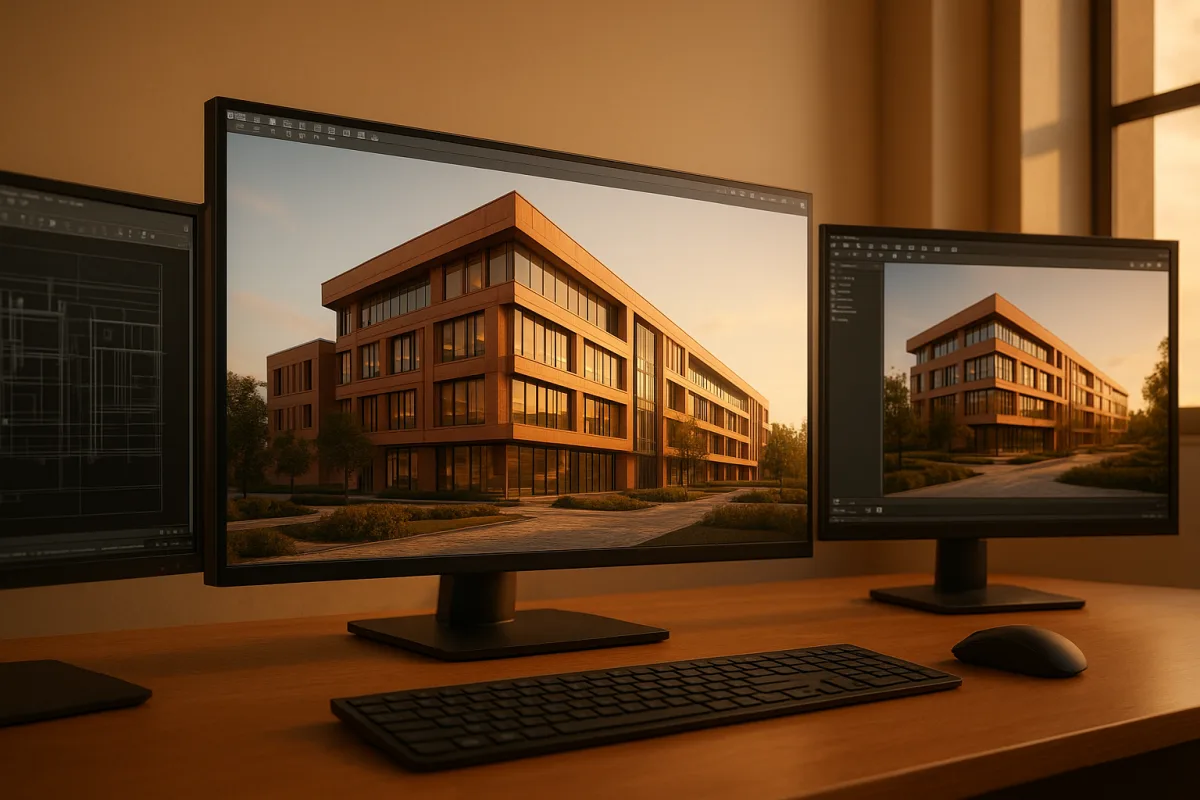
For a visualizer choosing one primary DCC for architectural modelling and rendering, Autodesk 3ds Max 2026 is the practical decision. It is not inherently a better piece of software than Autodesk Maya 2026. It is better aligned with the work.
Architectural visualization is mostly about controlled revision. A wall moves, a facade system changes, landscape density doubles, the client asks for a dusk variant, and the Unreal walkthrough needs the same material intent. The best tool is the one that absorbs those revisions without turning every update into a rebuild.
Maya remains a serious, premium application with excellent modelling, animation, grooming, rigging, and simulation capability. Autodesk positions it squarely around bringing characters and animated assets to life, which is exactly where its deeper systems make sense. [2]
That does not make Maya unusable for interiors or exteriors. It means an archviz artist has to build more of the surrounding workflow themselves, while 3ds Max begins closer to the conventions of the field.
Maya and 3ds Max against the same criteria
| Criterion | Autodesk 3ds Max 2026 | Autodesk Maya 2026 | Better fit for architectural visualization |
|---|---|---|---|
| Core modelling workflow | Modifier Stack supports non-destructive, ordered changes to an object. | Strong polygon and NURBS tools, but its workflow is less tailored to iterative architectural edits. | 3ds Max |
| Revision-friendly construction | Modifiers, instancing, retopology tools, and procedural scene plugins suit repeated building elements. | Can handle complex construction, but requires more deliberate setup for common archviz patterns. | 3ds Max |
| BIM and CAD connection | Close integration with Revit and AutoCAD supports design-update workflows. | Relies more heavily on common interchange formats. | 3ds Max |
| Rendering choices | Arnold is integrated, V-Ray is available, and Corona Renderer is officially supported. | Arnold is integrated and V-Ray is available, but there is no official Corona support as of 2026. | 3ds Max |
| Unreal Engine handoff | Datasmith translates 3ds Max content directly for Unreal Engine workflows. [[12]](https://dev.epicgames.com/documentation/unreal-engine/how-datasmith-translates-3ds-max-content-for-unreal-engine?utm_source=openai "How Datasmith Translates 3ds Max Content for Unreal Engine | Unreal Engine 5.8 Documentation | Epic Developer Community") |
| Plugin ecosystem | Strong archviz ecosystem, including Forest Pack and RailClone. | Broad general CG ecosystem, but less concentrated around architectural scene building. | 3ds Max |
| Animation and simulation | Capable, but not its defining advantage. | Deep rigging, animation, dynamics, grooming, and node-based workflows. | Maya |
| Learning path for archviz | Generally gentler for architectural modelling because common tasks map directly to familiar tools and conventions. | Steeper when the goal is buildings rather than animated assets. | 3ds Max |
| Subscription position | Premium, broadly comparable with Maya, with collection bundles potentially changing the calculation. | Premium, broadly comparable with 3ds Max, with collection bundles potentially changing the calculation. | Draw |
The table is not saying that architecture requires box modelling, modifiers, and scatter plugins. Those are habits that became common because they make iterative scenes manageable. A clean scene can be made in either application.
The decision is about what happens after the clean first pass. In architectural work, the client’s second and third change request often matter more than the first model.
Modelling and topology: where 3ds Max saves time
3ds Max’s Modifier Stack is the clearest reason to prefer it for buildings. Bevel, shell, symmetry, boolean cleanup, smoothing, UV operations, and deformation can remain editable rather than becoming irreversible steps baked into the mesh.
That matters because architectural topology is not character topology. A sofa needs deformation-friendly edge flow. A curtain wall, stair flight, cabinetry run, or facade panel system needs dimensions, repetition, clean shading, and the ability to change proportions late.
A bevel is a good example. It is not decorative geometry. Small edge radii catch highlights, separate planes under soft lighting, and stop a model reading like a cardboard cutout. Keeping that bevel procedural makes it easier to adjust the visual scale of an entire scene.
Maya can produce the same physically believable edge treatment. The issue is not output quality. Its powerful node-based and advanced animation systems can be cumbersome when the job is repeatedly reshaping static built form rather than managing animated dependencies. [8]
Autodesk’s 2026 releases also put attention on AI-assisted and procedural capabilities across Maya and 3ds Max. [9] Treat those features as accelerators, not a substitute for topology judgment. A generated pattern still needs sensible instancing, transform scale, UV logic, and material breakup.
Rendering and look development: Corona changes the decision
Both applications support V-Ray, so a studio already committed to V-Ray can render from either host. Chaos released V-Ray 7.4 for Maya with workflow and rendering updates, while the same V-Ray generation is also available for 3ds Max. [6] [7]
That parity matters. A Maya artist is not locked out of serious photoreal rendering merely because they chose Maya. V-Ray can carry a disciplined material, camera, lighting, and render-output workflow in both applications.
Corona Renderer is the important split. It has official support in 3ds Max, not Maya, as of 2026. For studios whose archviz look development, material libraries, render presets, and staff knowledge are built around Corona, Maya is not an equivalent host.
3ds Max also includes Arnold, with 2026 improvements positioned around higher-quality rendered output. [1] Arnold is entirely capable of architectural work, particularly where a team needs consistent rendering alongside other CG disciplines. Still, renderer choice often follows studio pipeline more than raw image quality.
Do not overstate the rendering difference. Strong architectural images come from believable material response, real-world scale, controlled roughness variation, appropriate edge treatment, lighting direction, and camera composition. Neither host repairs weak look development by itself.
BIM, scene assembly, and Unreal delivery
BIM integration is where 3ds Max has a practical architectural advantage. Revit and AutoCAD links reduce the friction between design data and visualization scenes, especially when the model is expected to change after visualization has started.
Live-linked design data is not automatically production-ready render geometry. It still needs material assignment, hierarchy cleanup, instancing decisions, sensible smoothing, and often selective simplification. But retaining a dependable route back to the design model is valuable.
For real-time output, Datasmith provides a direct 3ds Max to Unreal Engine path. Epic’s documentation describes how Datasmith translates 3ds Max scenes and content for Unreal workflows. [12] This is useful when a still-image scene must also become an interactive walkthrough.
Maya artists can export FBX and use standard interchange methods, which can be perfectly adequate for individual assets or controlled scenes. What they do not get is the same dedicated Datasmith route described for 3ds Max.
Cost and performance: where the evidence stops
Maya and 3ds Max occupy the same premium subscription category. Published regional pricing comparisons place them close together, and Autodesk collections may reduce the relative cost for studios needing several applications. [3] The license alone should not decide this choice.
The larger expense can be pipeline overhead. Corona compatibility, V-Ray licensing, scattering and parametric plugins, staff retraining, asset migration, and time spent repairing imports can outweigh a small subscription difference very quickly.
There is no dependable direct benchmark evidence showing that either Maya or 3ds Max universally performs better on large architectural models. Be cautious with claims that one will automatically solve heavy geometry, slow viewports, or long renders.
Large scenes fail for ordinary reasons: millions of unique objects instead of instances, excessive displacement, oversized textures, unbounded subdivision, dense imported CAD, and render settings chosen without understanding their noise or sampling cost. Good scene hygiene travels between applications.
Where the rest of the field fits
These tools are not replacements for the Maya versus 3ds Max decision in a typical BIM-to-render pipeline. They are adjacent choices, each useful when its modelling paradigm matches the deliverable.
| Application | Cost position | What it suits |
|---|---|---|
| Blender 3.6 | Entry-level, lower cost than the premium Autodesk options | Budget-conscious users needing free, open-source modelling, sculpting, texturing, and rendering tools, provided they can accept a steep learning curve. |
| SketchUp Pro 2026 | Mid-range, below the premium applications | Designers and architects who need rapid massing, simple spatial studies, and quick visualization rather than a deep final-pixel pipeline. |
| Cinema 4D R26 | Mid-range | Users wanting a balance of capable modelling and rendering with a relatively approachable interface, including motion-focused generalists. |
| Modo 16 | Mid-range | Artists seeking broad modelling, sculpting, and rendering functionality at a more accessible level than premium packages. |
| ZBrush 2026 | Premium | Digital sculpting and high-resolution character detail, not primary architectural scene construction. |
| Houdini 19 | Premium | VFX and procedural modelling, especially complex scattering, simulations, and rule-driven generation where its procedural approach is justified. |
| Substance 3D Modeler 2026 | Mid-range | VR and signed-distance-field modelling, particularly for artists exploring direct, volumetric shape creation. |
| Plasticity 1.0 | Entry-level | Beginners and users wanting an intuitive, essential modelling tool, especially where straightforward hard-surface construction is the priority. |
| Nomad Sculpt 1.0 | Entry-level | Portable iPad sculpting and on-the-go form exploration, not a full architectural assembly environment. |
| Lightwave 3D 2026 | Mid-range | Users who prefer a perpetual-license model and want integrated modelling and rendering tools. |
Blender 3.6 is the obvious lower-cost alternative for a self-directed visualizer, but its free price does not remove training cost. It can make excellent work, yet the research here does not establish its role in professional BIM-linked archviz pipelines.
Houdini 19 deserves a special mention for procedural city blocks, vegetation logic, and variation-heavy systems. It is a specialist answer, though, not necessarily the best first application for modelling a kitchen, apartment, or client-led interior revision.
Who each option suits
Autodesk 3ds Max 2026 suits
Choose 3ds Max if you are an architectural visualizer, rendering specialist, or product-focused generalist who needs efficient hard-surface modelling, non-destructive edits, BIM adjacency, archviz plugins, or a clear route into Unreal Engine.
It is the safer studio choice when Corona Renderer, Forest Pack, RailClone, V-Ray, Revit, AutoCAD, or Datasmith are already part of the conversation. It also suits artists learning architectural modelling as a primary discipline rather than arriving from character work.
Autodesk Maya 2026 suits
Choose Maya if architecture is only one part of a pipeline dominated by character animation, VFX, film production, rigging, grooming, or simulation. Its strengths become relevant when the building must interact with animated characters, effects, or a larger Maya-based production environment.
For a freelance artist making still interiors and exteriors, Maya can absolutely deliver finished work. But unless a Maya-centered animation or VFX pipeline already exists, 3ds Max is the more direct choice, with fewer architectural compromises built into the workflow.
Frequently Asked Questions
Which is better for architectural modeling, Maya or 3ds Max?
Autodesk 3ds Max 2026 is generally better suited for architectural modeling because its workflow, including the Modifier Stack and plugin ecosystem, is tailored to iterative and revision-friendly architectural work. Maya is a powerful application but is designed more for character animation and simulation, making it less aligned with typical architectural modeling needs.
What are the advantages of 3ds Max for architectural visualization?
3ds Max offers a non-destructive Modifier Stack, strong integration with BIM tools like Revit and AutoCAD, and a rich plugin ecosystem including Forest Pack and RailClone. It supports efficient revision workflows and has official support for Corona Renderer, making it well adapted to the demands of architectural visualization.
Can Maya be used effectively for architectural modeling?
Yes, Maya can be used for architectural modeling, but it requires more custom setup and is less inherently aligned with architectural workflows. Its advanced animation and node-based systems are powerful but can be cumbersome for managing static architectural scenes compared to 3ds Max’s more specialized tools.
How does 3ds Max integrate with BIM tools for architecture?
3ds Max integrates closely with BIM software such as Revit and AutoCAD, supporting live linking and design-update workflows. This integration helps maintain consistency between design changes and visualization, streamlining the architectural visualization process.
What rendering options are available in 3ds Max vs Maya for archviz?
Both 3ds Max and Maya support Arnold and V-Ray renderers, but only 3ds Max has official support for Corona Renderer as of 2026. This gives 3ds Max an advantage in rendering flexibility and options commonly used in architectural visualization.
How we researched this
This article was assembled from 12 cited references.
Nothing here is based on hands-on testing. Where a figure or finding appears, it belongs to the source cited beside it, and the writing says so rather than implying otherwise. Every source is listed below so you can check it.
Sources
- 3ds Max 2026 Features | Autodesk
- How Much Does Autodesk Maya Cost in 2026?
- 3ds Max czy Maya: który kupić i ile kosztuje | License.pl
- Flash sale at Autodesk slashes up to 20% off the company's most popular products - just two days left to save
- Best architecture software 2025: We checked out the top CAD tools for architects
- Chaos releases V-Ray 7.4 for Maya | CG Channel
- V-Ray 7.40.04 for 3ds Max and Maya: What’s New - MotionMedia
- Autodesk Maya vs. 3ds Max: Best Choice for Architects and Game Artists in 2026 | iRender Render Farm
- Autodesk's new AI tools for Maya and 3ds Max actually look useful - here's why
- Maya and 3DS Max differences
- Autodesk 3ds Max 2026
- How Datasmith Translates 3ds Max Content for Unreal Engine | Unreal Engine 5.8 Documentation | Epic Developer Community
Related Articles
Blender vs 3ds Max for Architectural Visualization in 2026
Compare Blender vs 3ds Max for architectural visualization to find the best fit for modeling, rendering, CAD/BIM workflows, and studio pipelines.
Maya vs 3ds Max Modeling Tools: Key Differences Explained
Explore the key differences between Maya vs 3ds Max modeling tools to choose the best fit for your 3D modeling needs in 2026.
Octane vs V-Ray Architectural Rendering: Which to Choose?
Compare Octane and V-Ray for architectural rendering to find the best fit for your hardware, workflow, and project needs.
Blender vs Maya for 3D Modeling: A Detailed Comparison
Explore Blender vs Maya for 3D modeling, comparing cost, capabilities, usability, and community support to help you choose the right software.