
Best Rendering Engine for Product Visualization in 2026
Compare KeyShot, V-Ray, and Blender Cycles to find the best rendering engine for product visualization workflows in 2026.
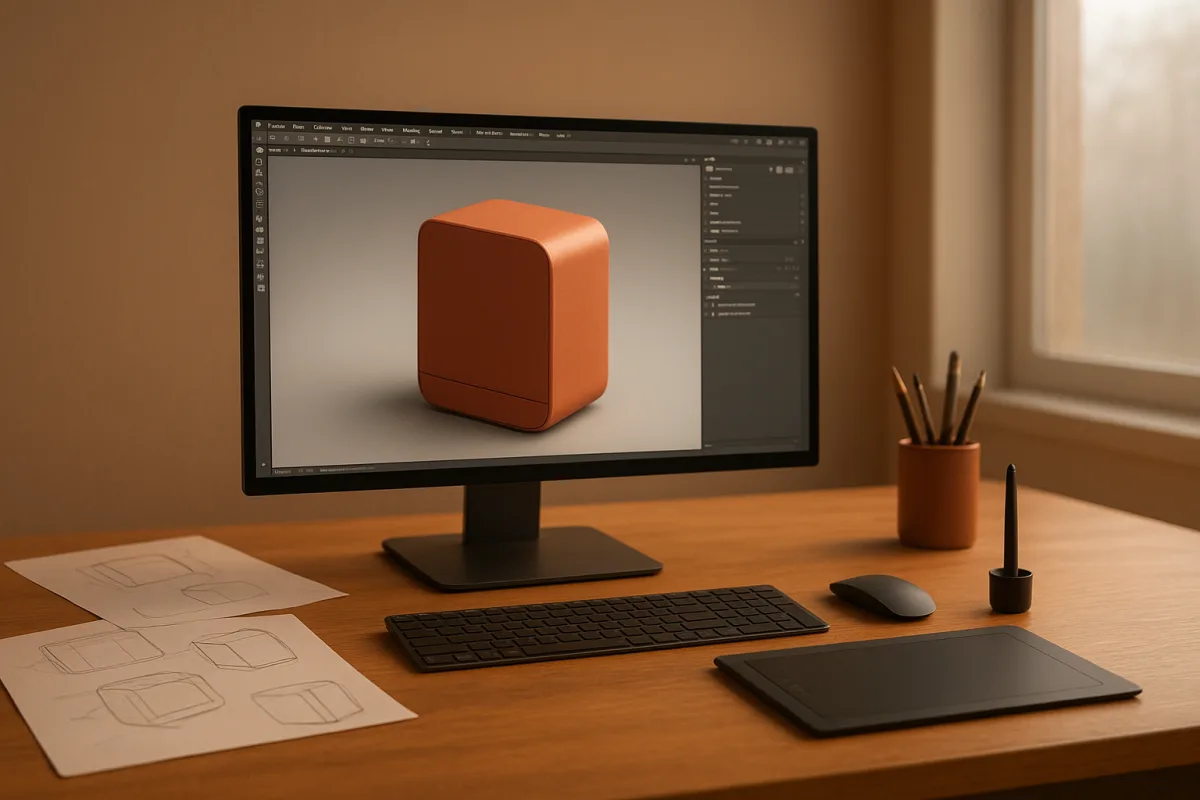
The decision: KeyShot 2026 or V-Ray 2026?
For a product visualiser choosing one primary renderer, the decision is between KeyShot 2026 and V-Ray 2026. Both are premium options, so this is not a cheap-versus-expensive choice. It is a choice between rapid, focused presentation and deeper production control.
KeyShot is the better default for a product designer who receives clean CAD, needs credible studio images quickly, and would rather spend time refining the product than engineering a render setup. Creative Bloq’s review highlights its ease of use, fast rendering focus and AI Shots workflow. [1]
V-Ray is the better default for a visualisation specialist building more than one clean packshot. It is intended for granular decisions about lights and materials, which matters when a campaign needs a controlled visual language across hero images, cutaways, environments and revisions. [4]
That does not make one renderer “more professional” than the other. A simple cosmetic bottle, watch, appliance or furniture model can look excellent in either. The practical difference is how much of the look you need to prescribe, reuse and defend.
Head-to-head comparison
| Criterion | KeyShot 2026 | V-Ray 2026 |
|---|---|---|
| Primary workflow | A direct product-rendering workflow, particularly suitable for bringing CAD models to presentable images without building a large technical scene. | A broader production renderer suited to workflows where assets, lights, shaders and render output need detailed authorial control. |
| Learning curve | The more approachable choice for designers who need results without becoming rendering specialists. Its strength is reducing the distance between imported model and finished image. [1] | The steeper choice because the control is the point. More parameters can produce a more exact result, but they also require clearer lighting and material judgement. [[4]](https://webeseo.it/en/news/miglior-software-rendering-3d-2026?utm_source=openai "Best 3D Rendering Engine 2026 — KeyShot, V-Ray, Octane, Cycles |
| Lighting control | Well suited to studio-style product lighting where the renderer should get out of the way. It is less attractive when every reflection, light contribution and render behaviour must be managed explicitly. | The stronger option for deliberately constructed lighting, especially complex rigs, layered environments and scenes where the lighting needs to be repeatable across many assets. [[4]](https://webeseo.it/en/news/miglior-software-rendering-3d-2026?utm_source=openai "Best 3D Rendering Engine 2026 — KeyShot, V-Ray, Octane, Cycles |
| Material development | A practical fit for quickly assigning convincing product materials to CAD-based assets. | The stronger fit for teams that need extensive material libraries and highly controlled shader behaviour across a wider production pipeline. |
| CAD and product-design handoff | The more natural choice for CAD-led product designers, where quick import and presentation are central to the job. | Works best when the CAD model is only the start of a more developed DCC or visualisation pipeline. |
| AI-assisted image work | AI Shots can generate and edit imagery from CAD models, which may help create variations and early marketing directions quickly. It should not replace checking geometry, material truth or brand-critical details. [1] | The supplied research identifies control of lighting and materials, not an equivalent AI-led CAD image workflow, as V-Ray’s defining advantage. [[4]](https://webeseo.it/en/news/miglior-software-rendering-3d-2026?utm_source=openai "Best 3D Rendering Engine 2026 — KeyShot, V-Ray, Octane, Cycles |
| Complex scenes | Good for the product itself and its immediate presentation. It is not the first choice here for a heavily art-directed scene with many dependencies and technical requirements. | Better suited to complex professional scenes because granular settings let artists solve specific lighting and material problems rather than accept a general-purpose result. [[4]](https://webeseo.it/en/news/miglior-software-rendering-3d-2026?utm_source=openai "Best 3D Rendering Engine 2026 — KeyShot, V-Ray, Octane, Cycles |
| Hardware and scalability | Hardware requirements still matter, but the choice is primarily about a focused rendering workflow rather than a claim of benchmark leadership. | V-Ray offers GPU acceleration and CPU and GPU approaches. GPU work can be fast, but scene capacity remains limited by VRAM, while CPU rendering is more flexible with large scenes. |
| Cost position | Premium. It is a premium investment justified by reduced setup time, not an entry-level alternative. | Premium. It makes more financial sense where its extra control is used repeatedly across client work, rather than for occasional one-object renders. |
| Where it falls down | It can be the wrong fit when the job demands deeply engineered shading, lighting and pipeline behaviour rather than a streamlined product-presentation workflow. | It can be the wrong fit when a designer simply needs polished renders quickly. More control is not free, because someone must make and maintain those decisions. |
Why product rendering exposes the difference
Product visualisation is often described as simple because the scene may contain one object on a seamless background. That is backwards. With no busy environment to hide behind, bevel quality, roughness breakup, reflection shape and scale must carry the image.
A chrome tap, coated plastic speaker or translucent cosmetic cap is mostly a lighting problem. The mesh still matters, particularly the radius of every edge catching a highlight, but the renderer determines how predictably those surfaces respond to the studio rig.
KeyShot 2026 favours momentum in that situation. A product designer can concentrate on model condition, camera choice and the readability of the form, rather than treating the rendering system itself as a separate discipline.
V-Ray 2026 rewards a visualiser who wants to build the image intentionally. A habit I teach, rather than a rule, is to treat every bright reflection as a designed shape. V-Ray’s granular light and material controls support that approach. [4]
The distinction becomes clearer during revisions. If the request is “make this finish glossier, keep the reflection language consistent, and apply it to 40 variants,” a controlled material and lighting system becomes valuable. V-Ray is the stronger decision.
If the request is “we have new CAD this morning and need three credible product directions by the afternoon,” KeyShot is the stronger decision. Creative Bloq specifically identifies the 2026 AI Shots feature as a generative and editing tool built around CAD models. [1]
Performance is not a specification
Avoid choosing either engine based on a generic claim that it is faster. The research brief found no standardised, product-visualisation benchmark covering Cycles, V-Ray, Redshift and Octane across mid-range and high-end hardware.
A benchmark may measure a particular scene, resolution, driver version and graphics card. It cannot tell you whether your model has dense displacement, 8K decals, layered clearcoat, refractive packaging or a texture budget that overruns GPU memory.
GPU rendering can make iteration responsive, but VRAM is a hard production constraint. GPU-related problems can also include driver conflicts, viewport lag, thermal throttling and instability, rather than merely longer render times. [26]
V-Ray has an advantage in flexibility because CPU and GPU approaches can serve different scene demands. KeyShot’s advantage is instead workflow speed, meaning how quickly a user can establish a convincing result, not a universal seconds-per-frame claim.
This is also why a render farm quote should not settle the question. Advertised GPUs do not ensure identical real-world throughput, because surrounding system components and configuration affect performance. Test a representative asset before committing a campaign.
Where the rest of the field sits
KeyShot 2026 and V-Ray 2026 are the head-to-head decision, but they do not occupy the whole field. The alternatives are useful when the deliverable changes from stills to interactive sales tools, realtime reviews, animation or a zero-cost learning pipeline.
Octane Render 2026 is premium and suits time-sensitive projects on modern graphics cards, where GPU-accelerated photorealistic rendering is central. Its fall-down is the same core GPU trade-off: performance depends on compatible hardware and scenes must fit available VRAM. [4]
Redshift 2026 is also premium and suits complex scenes requiring GPU acceleration with high-quality output. It belongs on the shortlist for GPU-equipped production teams, but it is not automatically accessible to artists without dedicated graphics hardware. [11]
Corona Renderer 2026 is premium and suits architectural visualisation artists who value a near-automatic approach to light physics and fewer manual controls. That ease is valuable for natural interiors, but it is less aligned with this article’s choice when product work needs V-Ray-level granular control. [4]
Cycles in Blender 2026 is entry-level in cost because Blender is free and open source, although the work required is not inherently beginner-level. It suits general product rendering, independent artists and teams already modelling in Blender, with CPU and GPU rendering available. [4]
Blender’s longer-term hardware direction is worth noting. Blender developers plan to remove OpenGL support in Blender 6.0, projected for November 2027, so older workstation compatibility deserves attention before a pipeline is standardised. [25]
D5 Render 2026 occupies the mid-range and suits teams making repeatable product revisions under consistent studio lighting. That makes it attractive when dependable revision output matters more than building a highly customised offline-render pipeline. [28]
Enscape 2026 is mid-range and suits architects who need real-time walkthroughs, rapid iterations and VR output. It is useful when a product must be reviewed in a spatial design context, but real-time rendering remains context-dependent for ultra-photorealistic hero images. [2]
Marmoset Toolbag 2026 is mid-range and suits small teams needing fast, repeatable product renders through hands-on lighting and materials. It is a sensible presentation-oriented option, particularly when the team wants direct control without adopting a larger visualisation stack. [29]
LightWave 3D 2026 is mid-range and suits artists who need modelling, animation and rendering versatility in one application. Its reported MotoRig vehicle system, THOR procedural lightning generator and Ocean Spectrum tools suggest it makes more sense for broader animation work than dedicated product stills. [1]
Threekit 2026 is mid-range and suits mid-sized teams that need interactive 3D product configuration without building heavy in-house tooling. It is not a substitute for a hero-image renderer so much as a different answer to an e-commerce and configuration problem. [29]
Render craft still decides the image
Whichever engine is chosen, do not confuse material presets with material observation. Product shaders need a believable scale of roughness, edge wear where appropriate, micro-normal detail and, above all, reflections that describe the form instead of obscuring it.
Clean topology helps even static products. Consistent bevel widths prevent highlight widths from changing unexpectedly, and sensible smoothing prevents a supposedly machined surface from revealing faceting at the exact angle chosen for the marketing image.
For transparent plastics, glass and coated finishes, model the physical layers that affect the silhouette and highlights. Do not rely on a shader to invent a thick clear shell, a recessed label or an injection-moulded seam that does not exist in the mesh.
That advice applies equally whether the source asset came from Blender, Plasticity, Houdini, ZBrush, Nomad Sculpt or another modelling tool. Use the application that creates the asset efficiently, then choose the renderer according to the output and approval process.
Who each option suits
KeyShot 2026 suits product designers, industrial design teams and CAD-led visualisers who need high-quality stills quickly, want a shorter path from model to studio image, and may benefit from AI Shots for exploring image variations. It is the clearer choice when rendering supports design communication rather than becoming its own specialist department. [1]
V-Ray 2026 suits dedicated visualisation artists and studios producing controlled product campaigns, complex lighting setups and reusable material systems. It is the better choice where image consistency across many products, formats and revisions matters enough to justify a more technical workflow. [4]
The honest answer is that they are close on image potential. Choose KeyShot when speed of setup and CAD-facing usability are the bottleneck. Choose V-Ray when control, repeatability and scene complexity are the bottleneck.
Frequently Asked Questions
Which is the best rendering engine for product visualization in 2026?
The best choice depends on the workflow and needs. KeyShot 2026 is ideal for CAD-led product work requiring fast, polished stills with minimal setup and AI-assisted image variation. V-Ray 2026 suits visualization teams needing detailed control over materials, lighting, and complex scenes. Blender Cycles 2026 is a sensible free entry-level alternative for general product work.
What are the differences between KeyShot and V-Ray for product rendering?
KeyShot offers a direct, streamlined workflow focused on quickly turning CAD models into presentable images with less technical setup, making it easier for designers. V-Ray provides granular control over lighting, materials, and scene complexity, better suited for specialists managing detailed production pipelines and complex scenes.
Is KeyShot or V-Ray better for CAD-based product visualization?
KeyShot is the more natural choice for CAD-led product designers who need quick import and presentation of models. V-Ray works best when the CAD model is the starting point for a more developed digital content creation or visualization pipeline requiring detailed authorial control.
How does AI assist in product visualization rendering?
KeyShot 2026 includes AI Shots, which can generate and edit imagery directly from CAD models to help create variations and early marketing directions quickly. However, AI should not replace careful checking of geometry, material accuracy, or brand-critical details. V-Ray does not currently offer an equivalent AI-led CAD image workflow.
What rendering engine is best for fast product image creation?
KeyShot 2026 is designed for rapid product image creation, especially when working with clean CAD data. Its ease of use, fast rendering focus, and AI-assisted image variation tools make it well suited for quickly producing polished stills without extensive setup.
How we researched this
This article was assembled from 29 cited references.
Nothing here is based on hands-on testing. Where a figure or finding appears, it belongs to the source cited beside it, and the writing says so rather than implying otherwise. Every source is listed below so you can check it.
Sources
- KeyShot 2026 review: fast, easy 3D rendering and with AI tools you might actually use
- Top 7 Rendering Engines for Designers and Architects in 2026 | DigitaLicence
- 2025年专业人士首选的12款3D渲染软件 - 博客 - Meshy
- Best 3D Rendering Engine 2026 — KeyShot, V-Ray, Octane, Cycles | Webeseo
- Spectral Cycles vs. Octane - Page 15 - Blender Development Discussion - Blender Artists Community
- Best Rendering Engines in 2026 (Ultimate Comparison Guide) - Sandboxr
- RTX 4090 Render Benchmark 2026: Blender, V-Ray, Redshift & Octane Results | Blender Render farm
- Graphics cards for 3D rendering 2026 | Ibertrónica
- Lumion vs Enscape vs Twinmotion: Best Renderer for Architects in 2026 | illustrarch
- Architectural Visualization (Archviz): 2026 Guide
- Best 3D render engines in 2026: Octane, Redshift, Corona and more
- Autodessys RenderZone Pricing & Reviews 2026 - GeekChamp
- Product Rendering & Visualization Guide 2026 | SoftwareRendering
- Free Rendering Software: What Is Actually Free in 2026 | Formas
- Lumion Pricing in 2026: Plans, Costs, and What You Actually Pay
- Corona vs V-Ray 2026: Archviz & Render Farm Comparison | SuperRenders
- 3D Rendering Trends 2026: Visualization Report
- Real-Time Rendering Isn't a Luxury Anymore: What UE5 and Twinmotion Adoption Data Says About 2026
- Real-Time Rendering for Architecture: Software & Tools (2026)
- Arnold Features | 2026 New Features | Autodesk
- NVIDIA Iray GPU Rendering | NVIDIA
- CentiLeo 3D render engine
- Bidirectional rendering — Reblend
- Bella – Fast Spectral Rendering. Simply Beautiful.
- Blender 6.0 May End Up Removing OpenGL Support - Phoronix
- RTX GPU Problems in 3D Modeling? Fix Lag & VRAM Limits
- Best Rendering Software That Doesn't Need a GPU (2026)
- D5 Render 2026
- Marmoset Toolbag 2026
Related Articles
Blender vs 3ds Max for Architectural Visualization in 2026
Compare Blender vs 3ds Max for architectural visualization to find the best fit for modeling, rendering, CAD/BIM workflows, and studio pipelines.
Octane vs V-Ray Architectural Rendering: Which to Choose?
Compare Octane and V-Ray for architectural rendering to find the best fit for your hardware, workflow, and project needs.
Blender Cycles vs Eevee Rendering: Key Differences Explained
Explore Blender Cycles vs Eevee rendering to learn when to use each for final images, previews, and real-time workflows in Blender 5.3.
Maya vs 3ds Max Modeling Tools: Key Differences Explained
Explore the key differences between Maya vs 3ds Max modeling tools to choose the best fit for your 3D modeling needs in 2026.