
3D Modeling Software Comparison for Hard Surface Modeling
Compare Blender and Plasticity for hard surface 3D modeling, exploring workflows, topology, and rendering capabilities in one detailed guide.
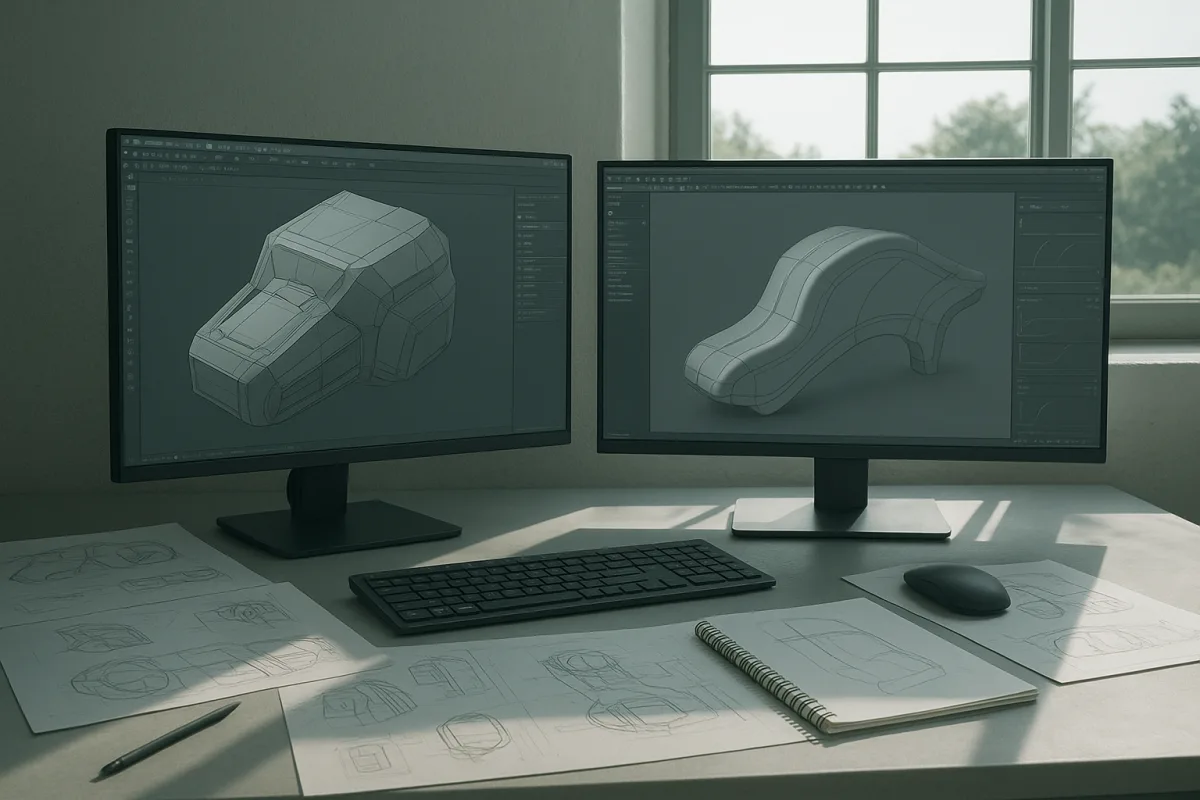
The decision: Blender 4.4 or Plasticity?
The choice here is between Blender 4.4 and Plasticity, two entry-level options aimed at artists who want to model hard-surface objects without committing immediately to a premium DCC or engineering CAD package.
They overlap most on props, product-style forms, vehicles, weapons, furniture and architectural details. They differ in how they expect you to construct those objects. Blender begins with polygon meshes and a generalist production pipeline. Plasticity begins with precision curves and solid-like surface construction.
That distinction matters more than the usual question of whether one interface feels easier. A hard-surface asset succeeds when its shapes, edge treatment, shading and downstream topology fit the intended use. The best tool is the one that makes those decisions cheaper to revise.
Blender 4.4 is free and open source, so it is the lowest-risk starting point financially. It has Mirror, Boolean and Subdivision Surface modifiers, the Knife tool, hard-surface-capable sculpting brushes, and a substantial add-on ecosystem. Hard Ops and Boxcutter are common names in that ecosystem, although their suitability depends on the artist’s workflow rather than on any universal need. [5]
Plasticity is positioned as an artist-oriented precision CAD option, particularly for people who want clean mechanical forms without adopting a full engineering-first workflow. [20] Its pricing details are not confirmed in the supplied research, so it should be treated as entry-level in the field rather than assumed to be free.
Head-to-head comparison
| Criterion | Blender 4.4 | Plasticity |
|---|---|---|
| Core modelling approach | Polygon mesh modelling with destructive and non-destructive modifier workflows | Precision, curve- and surface-oriented CAD-style modelling |
| Best starting geometry | Blockouts, mesh primitives, boolean cutters and subdivision cages | Profiles, curves, surfaces, fillets and mechanically defined forms |
| Hard-surface strength | Flexible game, film, product and general-purpose assets | Clean product forms, machined parts and controlled industrial design language |
| Topology control | Strong manual control, especially where deformation, baking or game-ready meshes matter | Excellent for creating primary forms, but mesh topology still needs consideration after export |
| Booleans and revision | Modifiers make iterative boolean work practical, particularly with an organised modifier stack | Better suited to changing exact radii, profiles and relationships in precision-led shapes |
| UVs, materials and rendering | Built into the same application | Requires a downstream application for a complete look-development pipeline |
| Add-ons and extensibility | Large community ecosystem, including Hard Ops and Boxcutter | More focused modelling proposition, with less emphasis in the supplied research on add-on breadth |
| Learning demand | Broad and initially steep because it exposes an entire DCC pipeline [5] | More direct for CAD-minded construction, but not a substitute for learning mesh, shading and export discipline |
| Interoperability | Supports common production formats including FBX, OBJ and USD | Supports common production formats including FBX, OBJ and USD |
| Cost position | Free, open-source entry point | Entry-level position, but current pricing and licensing details were not verified in the research |
| Main limitation | Its freedom can lead to messy boolean stacks, uncontrolled density and poor shading discipline | It is not a full scene-building, texturing and rendering environment |
Modelling method: mesh construction versus precision construction
Blender is the more natural choice if you think in terms of mesh operations. You start with a cube or cylinder, establish proportions, cut openings, add supporting geometry where needed, then use bevels and normals to make the object shade convincingly.
That workflow is especially useful when the final asset must become a game-ready prop. You can keep the low-poly mesh, manage UV seams, bake normal maps, assign materials and render the result without leaving Blender 4.4.
Plasticity makes a stronger case when the object is defined by design intent. Consider a consumer appliance, a machined enclosure, a watch component or a precise furniture fitting. In those cases, changing a corner radius or profile should not mean rebuilding support loops across a polygon cage.
This is the real appeal of CAD-like construction for artists. It is not that every hard-surface model needs engineering precision. It is that controlled curves, tangencies and fillets give you cleaner primary forms before you begin worrying about small surface damage, seams or material breakup.
Topology: where Blender has the practical advantage
Precision geometry is not automatically production topology. A perfect fillet in a CAD-style modeller can export as dense, uneven or inconvenient mesh geometry. That may be acceptable for a static render, but it becomes a problem for baking, UV work, deformation or real-time budgets.
Blender 4.4 puts that topology question in front of you earlier. That can feel slower, but it is often an advantage when the asset needs a clean low-poly version. You decide where loops belong, which bevels are real geometry, and what details can become normal-map information.
A useful habit, not a rule, is to separate primary, secondary and tertiary forms. Primary forms establish the silhouette. Secondary forms are panel breaks, bevels and major cutouts. Tertiary forms are screws, seams, knurling, decals and wear. Starting with tertiary detail is how otherwise simple models become dense and hard to edit. [16]
Plasticity still has a valid place in that pipeline. Build the clean high-level form there, export it, then create or retopologise a production mesh where necessary. The right handoff depends on what the object is for, not on a belief that one topology method is morally superior.
Shading and look development
Hard-surface work is often judged by highlights before viewers consciously notice the modelling. A bevel is not merely a decorative edge. It creates a surface wide enough to catch a highlight, which tells the eye that the object has scale and material thickness.
Blender 4.4 gives you the full chain in one place: modelling, bevel management, weighted-looking shading choices, UVs, materials, lights and rendering. That is a major advantage for freelancers, students and generalists producing stills or turntables under one roof.
Plasticity is more narrowly about getting the form right. That can be an advantage because it avoids mixing modelling decisions with early material experimentation. But eventually the model needs to enter a texturing and rendering package if the brief requires believable paint, metal, plastic, decals or environmental reflections.
This is where buyers should resist treating Marmoset Toolbag as a competing modeller. It is primarily a real-time rendering and baking application, not a hard-surface modelling package. It can be a sensible downstream companion for presentation and texture baking, but it does not replace Blender or Plasticity at the construction stage.
Workflow and interoperability
Blender and Plasticity both sit in workflows built around common interchange formats, including FBX, OBJ and USD. That means the decision does not permanently lock you into one renderer, game engine or texturing package.
Still, format support is not the same as a frictionless transfer. Before modelling an entire project, test one representative object. Check scale, object hierarchy, normals, UVs, smoothing, triangulation and material assignments. Problems discovered after fifty assets are no longer export problems, they are production problems.
Set units and scene scale early. This sounds dull, but it affects bevel widths, displacement, texture density, camera depth of field and export behaviour. Engineering-focused workflows are particularly sensitive to scale, while game and rendering workflows reveal scale mistakes through lighting and material response. [17]
Where the rest of the field fits
The broader market matters because Blender versus Plasticity is not the correct decision for every buyer. Autodesk 3ds Max is a premium Windows-only option suited to architectural visualisation and manual hard-surface modelling, particularly where an established Windows production pipeline already exists.
Cinema 4D is a mid-range choice for motion graphics and procedural modelling. It is often positioned as comparatively beginner-friendly, making it a reasonable fit for artists who need accessible tools alongside animation and motion-design work. [12]
ZBrush is premium and suits high-detail digital sculpting, especially character work and hard-surface forms that benefit from sculpted refinement. Its ZModeler brush and Live Boolean workflow make it more relevant to hard surface than some buyers assume, but it is not the efficient first choice for every precisely dimensioned object. [23]
Modo is a mid-range option for artists seeking capable hard-surface modelling without moving into the most expensive tier. LightWave 3D is also mid-range, and suits artists who prefer a perpetual-license-oriented route for hard-surface work rather than a recurring subscription model.
Fusion 360 is mid-range and better suited to product design, engineering and 3D printing than to building a fully lit hero asset. Its value is in manufacturable, dimensionally controlled design, where tolerances and real-world construction matter. [21]
SketchUp is entry-level and suits accessible architectural design across skill levels. It is a sensible choice for massing, interiors and built-environment concepts, but it is less naturally suited to dense, presentation-ready mechanical props. [22]
Rhino is premium and suits advanced surface modelling, NURBS workflows and scripting-heavy hard-surface projects. It is worth considering when complex continuous surfaces matter more than polygon-first asset production.
Shapr3D is mid-range and suits CAD work with precise controls and Apple Pencil integration. It makes sense for designers and engineers who want mobile or tablet-led concept development, rather than a generalist animation and rendering package. [1]
Who each option suits
Choose Blender 4.4 if you are a beginner, freelancer or generalist who needs to take an object from blockout to final render in one cross-platform application. It is the stronger choice for game props, portfolio pieces, UV-led workflows, material development and learning the wider logic of a DCC pipeline.
Blender also suits artists who expect their work to change direction. A prop may begin as a static render, become a game asset, then need a quick animation or a product turntable. Keeping those jobs in one application has practical value.
Choose Plasticity if your work is driven by exact profiles, controlled radii, clean intersections and product-design thinking. It is particularly appropriate for artists creating mechanical objects, consumer products, furniture components and other forms where the quality of the underlying construction matters more than rapid material look development.
Plasticity falls down when you need a complete production environment. Plan on exporting to another application for UVs, sophisticated materials, lighting, rendering, animation or game-ready optimisation. That is not a failure of the tool, it is simply the boundary of its job.
For most new hard-surface artists, Blender 4.4 is the safer single purchase because it costs nothing and covers the entire pipeline. For artists who already know they prefer precision CAD-style construction, Plasticity is the more focused modelling choice, provided they are comfortable building the rest of the pipeline around it.
Frequently Asked Questions
What is the best 3D modeling software for hard surface modeling?
There is no single best software for all hard surface modeling needs. Blender 4.4 is a versatile, free, open-source option suitable for polygonal hard-surface modeling, UVs, materials, animation, and rendering. Plasticity is better suited for precision modeling of dimensionally controlled curves and manufactured forms but requires additional software for materials and rendering.
How does Blender compare to Plasticity for hard surface modeling?
Blender uses polygon mesh modeling with modifiers and a broad production pipeline, making it a flexible generalist tool. Plasticity focuses on precision CAD-style modeling with curves and surfaces, ideal for clean mechanical and industrial designs. Blender integrates modeling with texturing and rendering, while Plasticity typically requires downstream applications for those tasks.
Which software is better for precision hard surface modeling?
Plasticity is better for precision hard surface modeling because it starts with dimensionally controlled curves, fillets, and mechanically defined forms. It allows easier revision of exact radii and profiles, which is valuable for industrial design and manufactured parts. Blender offers strong manual topology control but is less focused on engineering precision.
Can Blender handle both modeling and rendering for hard surface assets?
Yes, Blender 4.4 can handle the entire pipeline from modeling to rendering within one application. It includes modifiers for modeling, UV mapping, material assignment, and a rendering engine, allowing artists to complete hard surface assets without switching software.
What are the main differences between polygon mesh and CAD-style modeling?
Polygon mesh modeling, as used in Blender, starts with primitives like cubes or cylinders and builds detail through mesh operations such as booleans and bevels, focusing on topology suitable for games and animation. CAD-style modeling, as in Plasticity, begins with precise curves and surfaces emphasizing design intent, clean fillets, and mechanical accuracy, producing forms that may require additional topology work for production use.
How we researched this
This article was assembled from 25 cited references.
Nothing here is based on hands-on testing. Where a figure or finding appears, it belongs to the source cited beside it, and the writing says so rather than implying otherwise. Every source is listed below so you can check it.
Sources
- The best 3D modelling apps for iPad
- Is ZBrush Free? Best Free ZBrush Alternatives for Sculpting | 3DAI Studio
- Houdini vs Nomad Sculpt (2026): Pricing & Features | MobilesTalk
- Nomad Sculpt Pricing in 2026: Plans and Costs | Laptop251
- Is Blender Hard?
- How Long Does It Take to Learn Blender From Scratch?
- How Long Does It Take to Learn 3D Modeling? (2026 Guide) | HowLongFor.com
- Blender Learning Roadmap: From Beginner to Expertise (2026) | Coursera
- PC Hardware Requirements for Real-Time 3D Rendering - TechnoRar
- GPU & CPU Benchmarks for 3D Animators | Drop & Render
- Hardware Recommendations for Blender | Puget Systems
- Maxon
- ZBrush Interoperability: CAD, FBX, OBJ, VR | CAD Interop
- How to Sell Nomad Sculpt Models Online in 2026 — Complete Creator Guide | Proofly
- Digital Sculpting: What It Is and the Tools Used
- Common 3D Modeling Mistakes and How to Avoid Them | 4dviz Studio
- Common Cad Pitfalls: Mistakes to Avoid in Your 3d Modeling Workflow | Engineering Niche
- Nomad Sculpt Review (2026): Pricing, Pros & Cons
- Best 3D Rendering Software in 2026 | iTechFAQs
- Plasticity
- Fusion 360
- SketchUp
- ZBrush
- 3D Model Creation Pipeline 2026 — Blender, Unreal, Houdini, Maya, ZBrush, Tripo3D, Meshy, Luma Genie, Rodin, Gaussian Splatting, NeRF, Photogrammetry Deep Dive — TT Lab Blog
- Solving the Pitfalls of 3D Modeling Software Choices | Gae News Monitor
Related Articles
Maya vs 3ds Max Modeling Tools: Key Differences Explained
Explore the key differences between Maya vs 3ds Max modeling tools to choose the best fit for your 3D modeling needs in 2026.
Blender vs 3ds Max for Architectural Visualization in 2026
Compare Blender vs 3ds Max for architectural visualization to find the best fit for modeling, rendering, CAD/BIM workflows, and studio pipelines.
Blender vs Maya for 3D Modeling: A Detailed Comparison
Explore Blender vs Maya for 3D modeling, comparing cost, capabilities, usability, and community support to help you choose the right software.

Blender Ergonomics for Beginners: Safe Setup and Breaks
Learn Blender ergonomics for beginners with tips on posture, breaks, and workspace setup to work safely and comfortably.