
Difference Between Normal Maps and Displacement Maps
Learn the difference between normal maps and displacement maps and when to use each for 3D modeling and rendering.
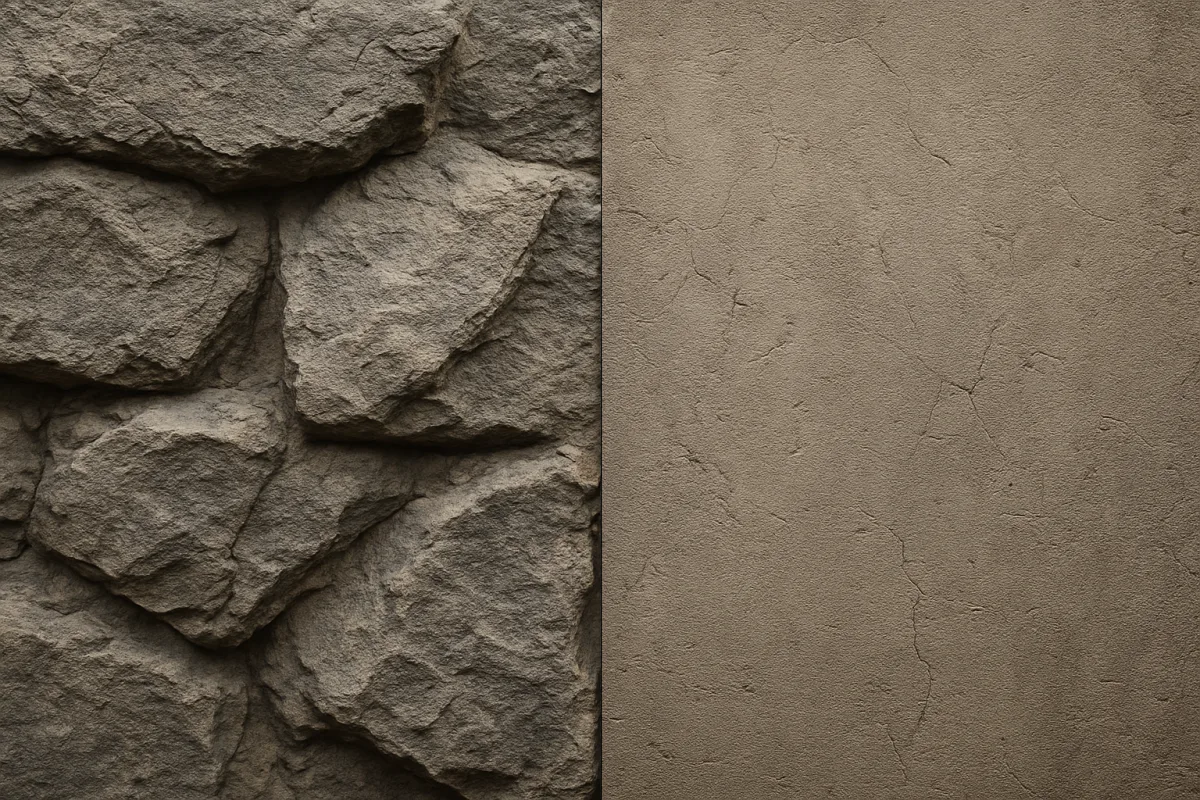
The important distinction is not “detail”
Normal maps and displacement maps can both make a simple model look more detailed. That shared purpose causes the confusion. The real difference is where the detail exists: in the shader’s lighting calculation, or in the mesh itself.
A normal map changes the direction the renderer believes a surface is facing at each textured point. The mesh remains exactly where it was. Its vertex count, outline and physical thickness do not change. [1][2]
A displacement map changes the position of the mesh. It uses height information to push vertices outward or inward, generally along their surface normals. The result can alter the object’s outline, because there is now actual geometry in a different place. [1][13]
That distinction matters more than the map files’ appearance. Both may look like colourful or grayscale images in a texture folder. One is directional shading data. The other is geometric height data. Treating them interchangeably produces predictable failures.
What a normal map is actually doing
Every rendered surface has a normal, a direction perpendicular to the surface. Lighting uses that direction to decide how bright a point should be, where highlights sit and how reflections break across the material.
On a perfectly flat plane, every normal points in the same direction. Light therefore reads the plane as flat. A normal map supplies a different normal direction for each pixel, so the shader can make the plane appear pitted, ridged or engraved. [8][9]
This is a shading illusion, but “illusion” should not imply useless. A well-baked normal map can carry a large amount of visual information. It is why a game prop can retain bevel highlights and sculpted seams without shipping the entire high-resolution model.
The geometry has not changed, though. Rotate a supposedly raised screw head until it breaks the silhouette against a bright background, and the truth becomes obvious: a normal map cannot make the screw extend beyond the low-poly mesh.
That is the practical test I teach first. Ask whether the detail must survive in profile. If the answer is yes, it needs geometry, which may mean modeled form, displacement, or a different asset strategy entirely.
Normal maps are especially valuable where a dense sculpt is being transferred onto a lighter game mesh. Baking records the high-poly surface’s directional detail into an image, then lets the lower-poly asset shade as though it retained much of that form. [10]
The cost has moved from mesh density to texture storage and shader work. Normal maps do not increase polygon count, which is why they remain a standard choice for real-time assets in engines such as Unreal Engine. [2]
That does not mean normal-map baking is always cheap. Ray casting a high-poly sculpt onto a low-poly target can be computationally demanding, and bake duration depends heavily on the source mesh, output resolution, hardware and chosen settings. [10]
Why the familiar purple image matters
Most tangent-space normal maps appear blue-purple because their red, green and blue channels encode directional information rather than visible colour. The exact channel values describe how the local surface normal should tilt away from the low-poly surface. [8][9]
The renderer combines those stored directions with the mesh’s own orientation and UV layout. That is why a tangent-space normal map baked for one mesh is not automatically portable to another mesh with different UVs or different tangent interpretation.
A normal map is data, not a photograph. It should be read as linear data. In Blender, this means treating it as Non-Color data rather than allowing an image colour transform intended for albedo textures. Incorrect colour handling corrupts the vector values. [8]
Another familiar error is the inverted green channel. Different toolchains can use different normal-map conventions, so a map may look as though every dent has become a bump. The material is then technically connected, but visually backwards. [9]
UV seams create another weak point. A bake can only transfer detail coherently where the source, target, UVs and tangent basis agree. Misaligned seams or unsuitable UV padding often show up as dark splits, shimmering seams or abrupt lighting changes. [8][10]
These are not merely texture-painting problems. They are asset-preparation problems. A normal map depends on the low-poly mesh’s UV seams, smoothing choices and tangent space, so topology still affects the final shading even though the map adds no vertices.
Displacement is a geometry budget
A displacement map generally stores height, often as grayscale values. The renderer samples that information and moves actual points on the mesh. Bright and dark values represent different displacement amounts relative to a chosen baseline. [1][13]
The important phrase is actual points. A mesh with a single large quad does not contain enough points to form fine gravel, pores or cracks. The displacement texture may be detailed, but the geometry has nowhere to put that detail.
Subdivision or tessellation creates those points. In Blender Cycles, Houdini and comparable renderers, displacement therefore needs a sufficiently subdivided mesh or a render-time tessellation workflow. Without it, detail becomes blocky, faceted or simply absent. [6][7][13]
Think of a displacement map as instructions given to vertices. More vertices allow the instructions to describe smaller forms. Fewer vertices force the same height changes across larger areas, producing a lumpy result that no amount of texture resolution can fix.
This is the cost model modelers need to understand. A 4K displacement map is not automatically a high-detail render solution. Its useful detail is limited by both image resolution and the density of tessellated geometry available at render time.
Displacement also affects silhouette. That is its central advantage. A displaced rock can break its outline, a damaged wall can have genuinely recessed joints, and a creature’s folds can change the way the surface occupies space under grazing light. [1][14]
Because the result is geometric, displacement can also affect self-shadowing and reflection in ways a normal map cannot fully reproduce. But it raises memory use and rendering cost because the renderer must process a denser surface. [2][13]
Displacement is consequently common in offline rendering, where final image fidelity can justify the added geometry, while normal maps dominate real-time work where predictable performance and stable polygon budgets matter more. [2][7][14]
The silhouette rule has exceptions
“Use displacement for anything important” is a useful habit, not a rule. If a close-up object needs a strong outline change, modeled geometry may be more controllable than a texture-driven displacement, particularly for hard-surface edges or designed damage.
Likewise, not every dark crack needs true depth. If it is small, never reaches the silhouette and will only be seen at ordinary viewing distance, a normal map may provide the needed lighting breakup with a much lighter asset.
The correct decision depends on camera distance, intended renderer, asset reuse and lighting. There is no universal resolution threshold or polygon count where normal maps stop being suitable and displacement begins. The sources do not establish one. [1][2]
That uncertainty is worth preserving. Modern real-time systems, including Unreal Engine 5’s geometry workflows, change the practical limits, but they do not remove the underlying distinction between shading data and moved vertices. [2]
Why professional assets often use both
A productive workflow is not usually normal map versus displacement map. It is normal map plus displacement map, with each doing the part it handles efficiently. One studio-oriented source describes displacement reserved for two or three hero assets, with normal maps carrying microdetail more broadly. [5]
For a close-rendered stone statue, displacement might establish worn edges, broad chisel marks and deep fractures that affect the silhouette. A normal map can then add fine grain, tiny chips and surface abrasion that would demand excessive tessellation. [5]
For a game environment wall, the split can lean the other way. The wall’s large block joints might be real modeled structure, while mortar noise, pores and small edge wear live in a normal map to protect the real-time geometry budget. [2]
The same logic applies to sculpting. ZBrush is capable of handling extremely high polygon counts, including scenes above 100 million polygons according to CGAxis, making it suitable for generating dense sculpt information for displacement and normal-map bakes. [4]
That does not mean the exported or rendered asset should always retain that sculpt density. The high-resolution sculpt can be a source asset. The delivery asset may be a lower-density mesh, a displacement map, normal maps, or a combination based on the job. [4][5]
Resolution follows visible frequency
Normal maps commonly range from 512 by 512 to 4096 by 4096 pixels. Displacement maps are often 1024 by 1024 through 8192 by 8192 pixels, especially where a hero asset needs visibly geometric surface variation. [1][2]
Those ranges are not quality grades. A 4K normal map on a small background prop can waste memory, while a 1K map on a large foreground character can visibly blur. Screen coverage and expected viewing distance determine whether pixels carry useful information.
The same is true of displacement. An 8K height map cannot create clean microstructure on an insufficiently subdivided mesh. Conversely, extremely dense subdivision may be wasted if the object is distant or its high-frequency details disappear under the final camera framing.
In Blender Cycles, texture handling also affects the practical picture. Blender’s development team describes a texture-cache system intended to improve efficiency when scenes use multiple textures, including normal and displacement maps. [12]
That is helpful, but it is not permission to ignore budgets. Texture cache efficiency addresses part of texture access. It does not erase the geometric memory and shading costs introduced when displacement requires heavily subdivided surfaces.
A disciplined choice before you bake
Start by deciding what the lowest practical representation must preserve. If the answer is surface response only, bake or author a normal map. If it includes profile changes, meaningful depth or broad self-shadowing, plan for geometry or displacement.
Then inspect the intended mesh density. Displacement cannot rescue topology that has too few vertices in the wrong places. The research brief does not support a single universal topology recipe, because required density depends on the displacement frequency and shot distance.
Finally, validate under lighting that reveals the problem. Use a grazing key light and inspect the silhouette. If a crack only exists when the material is viewed face-on, it is shading detail. If it needs to read in profile, it needs real form.
That is the difference to keep in your head: normal maps tell light how a surface should appear to face. Displacement maps give the surface a new shape to light.
Frequently Asked Questions
What is the difference between normal maps and displacement maps in 3D modeling?
Normal maps alter the surface normals used in lighting calculations to simulate detail without changing the mesh geometry, keeping the vertex count and silhouette unchanged. Displacement maps use height data to physically move mesh vertices, modifying the geometry and potentially changing the object's outline.
When should I use a normal map instead of a displacement map?
Use a normal map when surface detail does not need to affect the object's silhouette, such as small dents, pores, or fabric weave. Displacement maps are better for details that must alter the shape or cast physically accurate shadows, like chipped edges or deep folds.
How do normal maps affect lighting compared to displacement maps?
Normal maps change how light interacts with a surface by altering the perceived direction of surface normals, creating the illusion of detail through shading. Displacement maps physically modify the mesh, so lighting reacts to the actual changed geometry, including silhouette and shadow casting.
Can displacement maps change the silhouette of a 3D model?
Yes, displacement maps can change the silhouette because they move vertices outward or inward based on height data, altering the mesh’s outline and thickness.
Why do normal maps appear purple or blue in texture previews?
Normal maps appear purple or blue because their RGB channels encode directional information for surface normals rather than visible color. This encoding tells the renderer how to tilt the surface normals relative to the mesh for lighting calculations.
How we researched this
This article was assembled from 14 cited references.
Nothing here is based on hands-on testing. Where a figure or finding appears, it belongs to the source cited beside it, and the writing says so rather than implying otherwise. Every source is listed below so you can check it.
Sources
- Displacement Mapping vs Normal Mapping: Two Ways to Fake Surface Detail | Immersion 3D
- Normal Maps vs. Displacement: A 3D Artist's Guide to Choosing
- Maxon
- ZBrush vs Blender Sculpting: Which First? | CGAxis
- Studios: Displacement for 2–3 Heroes, Normal Maps for Micro Detail
- Blender Displacement Map Setup · FS Modworks
- Adding detail with normal, bump, and displacement mapping
- Normal Maps Explained for 3D Materials
- What Is a Normal Map? A Practical Guide for AI 3D Assets | Customuse Blog
- How to Bake Normal Maps in Blender for Game Assets
- ZBrush
- Cycles Texture Cache — Blender Developers Blog
- Displacement maps overview
- What is Displacement Map? · Texturing
Related Articles
How to Bake Textures in Blender: A Practical Guide
Learn how to bake textures in Blender with tips on UVs, resolution, and Cycles baking for game-ready assets and efficient workflows.
Blender vs Nomad Sculpt for Beginners: Which to Choose?
Compare Blender 4.5 LTS and Nomad Sculpt to find the best 3D sculpting app for beginners based on workflow, hardware, and learning goals.

Best Software for Procedural Texture Creation in 2026
Explore the best software for procedural texture creation, comparing Substance Designer and Houdini for different workflows and material needs.
Maya vs 3ds Max Modeling Tools: Key Differences Explained
Explore the key differences between Maya vs 3ds Max modeling tools to choose the best fit for your 3D modeling needs in 2026.