
Blender vs Nomad Sculpt for Beginners: Which to Choose?
Compare Blender 4.5 LTS and Nomad Sculpt to find the best 3D sculpting app for beginners based on workflow, hardware, and learning goals.
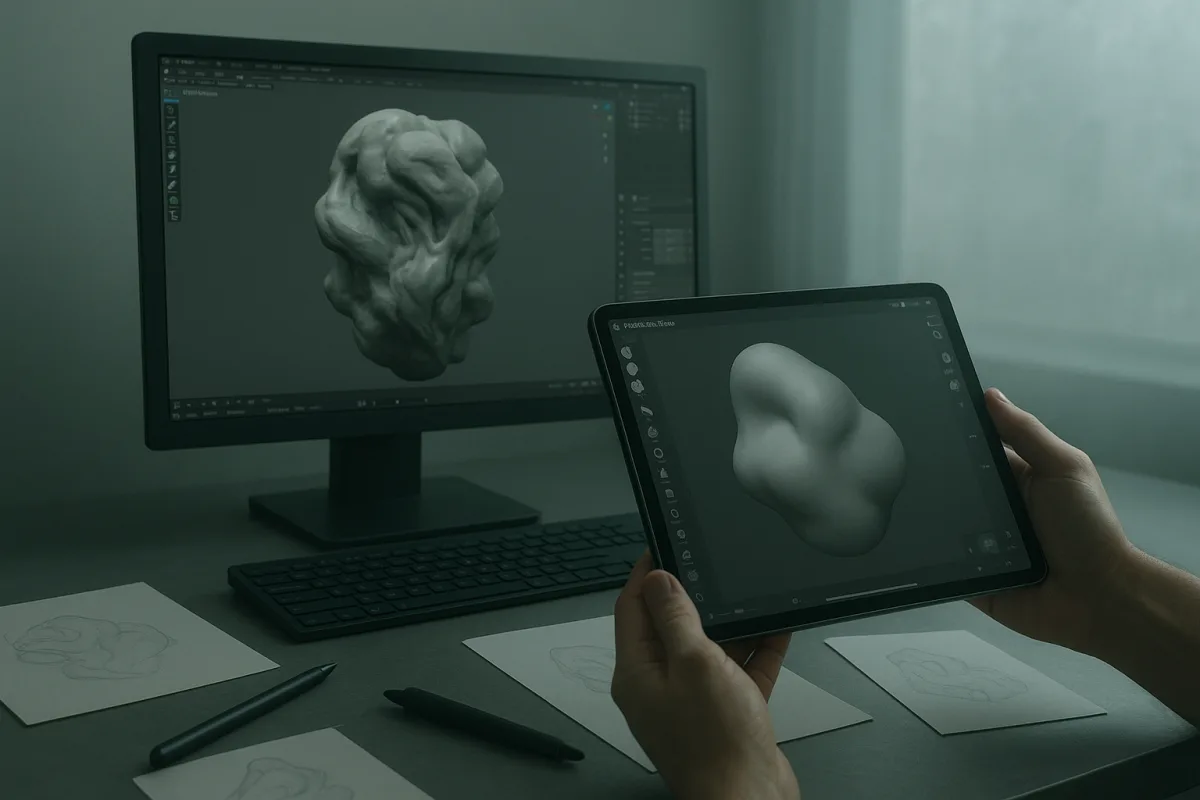
The decision: Blender 4.5 LTS or Nomad Sculpt?
For a beginner choosing one sculpting app, the useful head-to-head is Blender 4.5 LTS versus Nomad Sculpt. Blender is the better long-term single application. Nomad Sculpt is the better first sculpting experience for someone working on a tablet.
That is not a claim that Nomad Sculpt is a lesser tool, or that Blender is inherently more artistic. They begin from different assumptions. Blender is a complete 3D suite with sculpting inside it. Nomad Sculpt is built around the immediate act of shaping a digital object.
The choice matters because sculpting is not just pushing virtual clay. Once a character or prop needs animation, clean UVs, baked maps, a polished material, or a final render, topology and pipeline decisions start affecting the result.
Blender 4.5 LTS is free and open source, with sculpting, retopology, texturing, lighting and rendering available in the same application. That breadth is why it remains the practical recommendation for beginners who want an end-to-end route rather than a sculpting sketchbook. [1][16]
Nomad Sculpt is optimized for mobile and tablet use, with touch-oriented controls, dynamic topology and PBR material support. It makes more sense for a beginner who already owns a capable tablet and wants to spend the first session making forms instead of learning a large desktop interface. [1][2]
Neither choice removes the need to learn fundamentals. A smooth sphere can still have weak anatomy, and a dense mesh can still have a poor silhouette. Good sculpting starts with big primary forms, then secondary landmarks, then surface detail.
Blender 4.5 LTS versus Nomad Sculpt
| Criterion | Blender 4.5 LTS | Nomad Sculpt, current mobile release |
|---|---|---|
| First-session accessibility | More difficult. The general-purpose interface exposes many editors, modes and workflows before the beginner knows which ones matter. | Easier. Touch-focused tools and a sculpt-first workspace reduce the distance between opening the app and shaping a form. |
| Sculpting workflow | Capable of serious multiresolution and dynamic-topology sculpting, with a broad brush set and full scene tools around it. [16] | Strong for direct organic sculpting, especially blockouts, creatures, heads and stylized assets made on a tablet. [1][2] |
| Learning resources | The stronger option. Blender has an exceptionally large tutorial and community ecosystem, although that volume can also overwhelm newcomers. [10][11] | More limited learning material, though the smaller toolset can make targeted lessons easier to follow. |
| Topology and production preparation | Better as a single-app workflow. Retopology, UV work, baking preparation, materials and rendering can stay in one project. | A weaker endpoint when a clean production mesh, UVs and a sophisticated final scene are required. Plan for a later handoff. |
| Rendering and look development | Much stronger. Blender includes lighting, shader work and final rendering, so the sculpt can be judged in the context in which it will be seen. | Suitable for evaluating sculpt and materials, but not the same all-round rendering and scene-building environment. |
| Hardware and input | A mouse and keyboard workflow is assumed, and higher-resolution sculpting benefits from more capable hardware. [7] | Best suited to tablet artists who prefer a stylus and direct touch interaction. Device performance still limits practical mesh density. |
| Export and next steps | A better hub for models headed toward game engines, printing, animation or a broader asset pipeline. | Useful when its export options match the next application, but confirm formats before starting a serious project. |
| Cost model | The lower-risk choice for a desktop beginner because the complete application is free. [16] | Mobile access is relatively approachable, but desktop access and platform terms differ. Check the current store or official product page before buying. [[5]](https://laptop251.com/tools/nomad-sculpt/pricing/?utm_source=openai "Nomad Sculpt Pricing in 2026: Plans and Costs |
| Main weakness | Its breadth is real friction. A new user can spend days learning navigation, object modes and settings without actually practicing form. | It can encourage treating a sculpt as finished before topology, UVs, presentation and export requirements have been solved. |
Why Blender wins for the full pipeline
Blender 4.5 LTS is the recommendation for a beginner who wants to make finished 3D assets rather than only learn digital clay. It can carry a project from blockout to retopology, material assignment, lighting and rendering without forcing an immediate software change.
That matters because high-resolution sculpt topology is usually temporary. Dynamic topology and multires meshes are excellent for finding shape, but they are rarely the mesh you want to rig, unwrap efficiently, or put into a real-time project.
A beginner can sculpt a creature in Blender, create a cleaner low-density surface over it, transfer the high-frequency detail through baking, then render the result. That sequence teaches why clean edge flow exists, rather than presenting topology as an arbitrary technical chore.
Blender also gives lighting a proper place in the learning process. A sculpt that reads under flat viewport lighting may lose its planes under a hard key light. Setting a simple key, fill and rim light exposes proportion problems early.
The drawback is that Blender’s interface is not a beginner’s sculpting studio by default. Its customizable layout, modes and broad toolset are powerful, but they present choices before a new artist has enough context to make them. [13]
This is where a habit can be mistaken for a rule. Many working artists start with a simple sphere, remesh often, and postpone detail. That is a useful habit for organic work, not a requirement imposed by Blender itself.
Choose Blender 4.5 LTS if learning keyboard shortcuts and basic scene management sounds tolerable because you want the complete workflow. Do not choose it solely because it is free if a complex desktop interface will stop you from practicing.
Why Nomad Sculpt wins for getting started
Nomad Sculpt is the cleaner answer for the person who says, “I want to sculpt on a tablet this week.” Its touch-first approach lets a stylus behave more like a familiar drawing and sculpting tool than a mouse-driven 3D interface. [1][2]
The early lessons are also more direct. Add a sphere, pull out the ribcage, establish the head mass, separate limbs, and check the silhouette. Those are the same form problems an artist faces in any sculpting application.
Its dynamic topology workflow is particularly useful for beginners because it permits local refinement without manually planning edge loops first. That freedom is ideal during ideation, when changing the pose or proportion should be cheap.
It is not a reason to ignore topology forever. Dynamic topology answers, “How do I add resolution where I need it?” It does not automatically answer, “How does this mesh deform?” or, “How do I make it economical for a game?”
Nomad Sculpt’s limitation is therefore less about whether it can make appealing sculpts and more about where the project goes afterwards. If the endpoint is a turntable image or an exploratory concept, that may be perfectly fine.
If the endpoint is a game-ready character, animated film asset, or a carefully lit scene, plan the handoff before you become attached to a very dense mesh. OBJ, FBX, GLB and STL compatibility can determine whether a workflow is painless or full of conversion surprises. [22]
The briefing also distinguishes mobile and desktop licensing approaches for Nomad Sculpt. Those terms change, so beginners should check the official listing for their platform rather than relying on an old tutorial or forum recommendation. [5]
The rest of the beginner field, and why it does not change this choice
The supplied field contains useful alternatives, but none overturns the Blender-versus-Nomad decision for the typical beginner. They fit narrower starting points, or they offer less evidence of being a complete long-term learning path.
SculptGL is the lowest-commitment option for somebody who wants to try digital sculpting in a browser without a download or account. It suits a first experiment, not the person seeking a durable production workflow. [16]
Sculptris is another entry-level, free and user-friendly option for a beginner who wants basic sculpting access. It suits learning the feel of digital clay, but Blender 4.5 LTS provides the stronger surrounding pipeline. [29]
ZBrush for iPad suits a beginner specifically wanting to learn the ZBrush family of workflows on a tablet. Its limited free plan makes it a practical way to assess that interface, but its restricted feature set means it is not the clearest universal starting point. [15][24]
3DCoat sits in the mid-range field for beginners who need a broad desktop toolkit combining sculpting and production modeling. Its wider scope makes it more comparable to Blender than to Nomad Sculpt, though Blender remains the free starting point. [28]
Mixos Mold is a mid-range option for beginners seeking a broadly affordable sculpting tool with free creation and paid export. That makes it suitable for experimentation, but export restrictions are exactly the kind of workflow limit a beginner should identify early. [28]
Forger is a mid-range mobile sculpting app with a broader feature set for beginners who want to work away from a desktop. It suits tablet-focused artists, but the smaller learning ecosystem means it is less straightforward than Nomad Sculpt for a first recommendation. [27]
Putty 3D is a mid-range mobile option aimed at simplicity. It suits a beginner who wants an uncluttered, low-pressure introduction, but simplicity becomes a limitation when the learner needs to move beyond basic organic forms. [27]
3D Modeling App: Sculpt & Draw is a mid-range mobile option combining sculpting and drawing. It suits beginners attracted to mixed visual experimentation, rather than someone whose main goal is learning a conventional sculpt-to-production workflow. [27]
Sculptura 3D is a mid-range mobile app focused on organic modeling. It suits learners primarily making creatures, faces and soft forms, but it does not displace Nomad Sculpt as the clearer tablet-first decision in this field. [27]
Common beginner mistakes that software cannot solve
The first mistake is selecting the app with the most intimidating professional reputation. A famous production tool is not automatically the right teaching environment. Desktop ZBrush remains powerful, but its unconventional interface and subscription-only direction make it a poor default choice for many complete beginners. [4][24]
The second mistake is detailing too soon. Pores, seams and tiny wrinkles feel productive, but they cannot repair a head that is too narrow or a torso with an unclear ribcage. Work from silhouette and large volumes first.
The third is confusing dense geometry with quality. Add resolution only when a form needs it. More polygons increase memory use, slow edits and make it easier to hide structural mistakes under surface noise.
The fourth is postponing output decisions. A sculpt intended for rendering, printing and real-time use may each need different cleanup. Export formats are not interchangeable labels, and the target application should influence what you preserve. [22]
Who each option suits
Choose Blender 4.5 LTS if you have access to a reasonably capable computer, want to learn a full 3D pipeline, and can accept a more demanding first month. It suits future character artists, prop artists, game-art learners and anyone who wants sculpting connected to rendering and topology.
Choose Nomad Sculpt if you own a tablet and stylus, want to practice organic form immediately, and would rather learn the fundamentals of shape before taking on a full desktop package. It suits sketch sculptors, concept-minded beginners and artists who work best through direct touch.
Start with SculptGL or Sculptris if commitment is the problem rather than capability. They suit a no-pressure first encounter with digital clay, after which Blender or Nomad Sculpt is the more useful next step.
Consider ZBrush for iPad if your specific aim is learning the ZBrush approach on a tablet. Consider 3DCoat if you already know you need a wider desktop production toolkit. The mobile mid-range options, Mixos Mold, Forger, Putty 3D, 3D Modeling App: Sculpt & Draw and Sculptura 3D, suit narrower tablet preferences rather than replacing the central choice.
Frequently Asked Questions
Which is better for beginners: Blender 4.5 LTS or Nomad Sculpt?
Blender 4.5 LTS is better for beginners who want a complete, free application that supports the entire 3D pipeline, including sculpting, retopology, materials, lighting, and rendering. Nomad Sculpt is better for beginners who prefer a tablet-first experience focused on organic sculpting with touch controls and want to start shaping forms quickly without navigating a complex interface.
What are the pros and cons of Blender vs Nomad Sculpt for new sculptors?
Blender offers a full-featured, end-to-end 3D suite with extensive learning resources but has a steeper learning curve due to its broad interface and workflows. Nomad Sculpt provides a more accessible, touch-optimized sculpting experience on tablets with a simpler toolset, but it lacks advanced production features like retopology and rendering, requiring later handoff to other software for a full pipeline.
How does hardware affect choosing between Blender and Nomad Sculpt?
Blender assumes a mouse and keyboard workflow and benefits from more powerful desktop hardware as sculpt resolution increases, which can be demanding. Nomad Sculpt is optimized for tablets with stylus and touch input, but device performance limits practical mesh density, making it better suited for mobile workflows with different hardware constraints.
Can beginners complete a full 3D pipeline in Blender compared to Nomad Sculpt?
Yes, Blender supports the full 3D pipeline within a single application, including sculpting, retopology, UV mapping, baking, materials, lighting, and rendering. Nomad Sculpt focuses mainly on the sculpting stage and is less suited for completing production-ready models without exporting to other software for further work.
Is Nomad Sculpt suitable for learning organic sculpting on tablets?
Yes, Nomad Sculpt is optimized for mobile and tablet use with touch-oriented controls and dynamic topology, making it a good choice for beginners who want to learn organic form sculpting directly on a tablet. It is especially useful for quick blockouts and stylized assets on mobile devices.
How we researched this
This article was assembled from 34 cited references.
Nothing here is based on hands-on testing. Where a figure or finding appears, it belongs to the source cited beside it, and the writing says so rather than implying otherwise. Every source is listed below so you can check it.
Sources
- Sculpting Software for Beginners: Blender vs Nomad Sculpt
- The best 3D modelling apps for iPad
- 7 best digital sculpting software for 2026 - Guideflow Blog
- ZBrush vs Blender for Sculpting in 2026 — Re:Form Blog
- Nomad Sculpt Pricing in 2026: Plans and Costs | Laptop251
- Nomad Sculpt vs Plasticity: CAD compared (2026) - Softwr
- Blender System Requirements 2026: CPU, GPU & RAM Guide
- ZBrush System Requirements for Optimal Performance (2026)
- 3D Modeling & Animation Freelancers: The Complete Blender to Revenue Guide in 2026 – Jobbers
- 3D Modeling Software for Beginners – Full Guide 2026
- 3D Modeling for Beginners: Best Courses & Guide 2026
- Best 3D Modeling Software in 2026: Blender vs Maya, 3ds Max and More
- Blender Interface Guide: Navigate 3D Design Like a Pro | BYOL | Bring Your Own Laptop
- Best Free 3D Modeling Software (2026) — 12 Top Picks Ranked | 3DLinks
- 「ZBrush for iPad」リリース! iPadのタッチ機能とApple Pencilに最適化されハイポリゴン作業にも対応、無料版も用意
- Best Free 3D Sculpting Software in 2026: 8 Tools Compared
- Top Free 3D Modeling Applications of 2019 | Top 3D Shop
- ZBrush Interoperability: CAD, FBX, OBJ, VR | CAD Interop
- How to Sell Nomad Sculpt Models Online in 2026 — Complete Creator Guide | Proofly
- Shapelab Review, Pricing & Alternatives (2026) | MobilesTalk
- Hi3D Export Guide: Multi-Format Download & One-Click Printer Delivery
- How to Choose GLB vs FBX vs OBJ in 2026 | Meshy
- Autodesk is discontinuing Mudbox, its digital sculpting software | CG Channel
- Is ZBrush Free? Best Free ZBrush Alternatives for Sculpting | 3DAI Studio
- Best 3D Design Software 2026 | Toolradar
- Houdini vs Nomad Sculpt (2026): pricing, features and sources compared | GeekChamp
- 250+ Best 3D Sculpting Apps & Games for iPhone (2026) | Free & Paid
- Best 3D Sculpting Software in 2026: Researched & Ranked
- Best 3D Printing Sculpting Software – 2026 Buyer's Guide
- ZBrush
- 3D Modeling Tools 2026 — Blender 4.4 / Houdini 21 / Maya / ZBrush / Substance / USD / 3D AI Deep Dive — TT Lab Blog
- System Requirements - Marmoset Toolbag Documentation
- Nomad Sculpt - 3D modeling thread - | SVSLearn Forums
- 10 Ideas for the Ideal 3D Modeling Software – Sketchup World
Related Articles
Sculpting Software for Beginners: Blender vs Nomad Sculpt
Learn how to choose the right sculpting software for beginners by comparing Blender and Nomad Sculpt features, ease of use, and workflow fit.
Sculpting in Blender for Beginners
Learn sculpting in Blender for beginners with key brushes, workspace setup, and dynamic topology tips to start your 3D sculpting journey.
Blender Ergonomics for Beginners: Safe Setup and Breaks
Learn Blender ergonomics for beginners with tips on posture, breaks, and workspace setup to work safely and comfortably.
Blender Tips for Beginners: Master Object and Edit Modes
Learn essential Blender tips for beginners, including object vs edit mode, applying scale, and mastering transform shortcuts for better 3D modeling.