
Best Software for Realistic Texture Painting on 3D Models
Compare the best software for realistic texture painting on 3D models, including Substance 3D Painter and 3DCoat, with workflow and hardware tips.
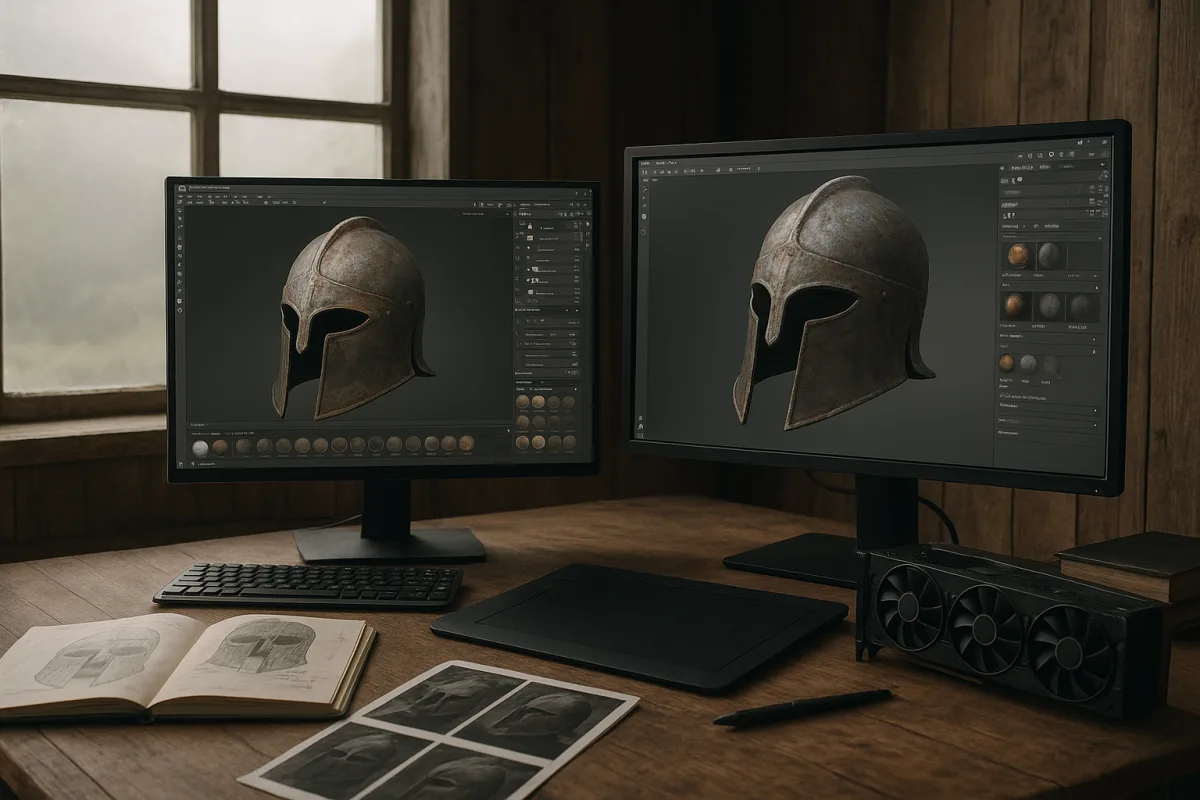
The decision: Substance 3D Painter or 3DCoat 2026.11?
For detailed realistic texture painting, the decision is between Adobe Substance 3D Painter and 3DCoat 2026.11. Both are premium tools, both can produce convincing PBR surfaces, and both are aimed well beyond stickers painted onto a single diffuse map.
The winner for most artists building game, product-visualisation, or film-ready asset libraries is Adobe Substance 3D Painter. 3DCoat 2026.11 is the better choice for an artist who wants procedural material construction to remain deeply editable while painting.
That is not a declaration that one makes renders more realistic than the other. There are no conclusive independent benchmarks that rank texture-painting realism between these applications. The result still comes from reference study, material separation, controlled edge wear, and good presentation lighting.
I am comparing the current named releases, 3DCoat 2026.11 and Adobe Substance 3D Painter in its 2026 feature cycle. Interfaces and feature sets move quickly, so tutorials made for older releases should be treated as workflow ideas, not exact instructions.
The comparison at a glance
| Criterion | Adobe Substance 3D Painter | 3DCoat 2026.11 | Decision |
|---|---|---|---|
| Core painting workflow | Deep PBR painter built around layers, masks, generators, baking, and material authoring. [18] | Full painting environment with an emphasis on editable node-based materials and procedural effects. [1] | Substance 3D Painter for conventional production texturing. |
| Material realism | Strong for layered roughness, metalness, normal detail, dirt, paint, decals, and physically based export. [18] | Supports nearly 30 material channels, including advanced PBR, lighting, and refraction properties. [1] | 3DCoat 2026.11 for unusually complex channel-driven materials. |
| Procedural control | Mature smart-material and mask-driven workflow, suited to repeatable asset families. [18] | GPU-accelerated node texturing creates editable materials, masks, filters, and effects. [1] | 3DCoat 2026.11 if node graphs are central to the process. |
| Painting and projection | Strong brush, mask, and bake-based workflow, with 2026 additions including Warp to Geometry and Skew Map Painting. [25] | Broad painting toolset, but the reported differentiator is its new node-based material system rather than a specific brush innovation. [1] | Substance 3D Painter for direct asset painting. |
| Baking and iteration | Built for the common high-poly to low-poly baking pipeline, with Auto Rebake added in 2026. [25] | Capable within a broader sculpting, retopology, UV, and painting environment. [1] | Substance 3D Painter for teams iterating on baked game or product assets. |
| Pipeline focus | Widely adopted for PBR texturing and material creation. [18] | Best suited to artists who want modelling, sculpting, retopology, UV work, and painting closer together. [1] | Depends on whether specialisation or an integrated workspace matters more. |
| Cost position | Premium. | Premium. | They are close in category. Verify current licensing before committing. |
| Hardware sensitivity | Adobe publishes system requirements, but complex projects still benefit heavily from ample GPU memory. [[24]](https://experienceleague.adobe.com/en/docs/substance-3d-painter/using/getting-started/system-requirements?utm_source=openai "System requirements | Adobe Substance 3D Painter") | GPU acceleration is a stated feature of the 2026 node-based system. [1] |
Criterion one: painting a believable PBR surface
Adobe Substance 3D Painter is the clearer pick when “realistic texturing” means the familiar production task: bake mesh maps, lay down a base material, then build controlled variation through masks, generators, hand painting, decals, and channel-specific adjustment.
That workflow matters because realism is rarely one dramatic paint pass. It is a stack of restrained decisions: a roughness shift around grips, dust caught in recesses, chipped coating exposing a substrate, and normal information that supports the light without looking stamped on.
Adobe positions Substance 3D Painter as a tool for texture painting, material authoring, and PBR workflows, which matches why it is widely used for asset production. [18] Its strength is not that it automates taste. Its strength is keeping the construction visible and revisable.
3DCoat 2026.11 can arrive at the same kind of believable surface, but its reported advantage is broader material construction. Its GPU-accelerated node-based texturing system is designed for editable materials, masks, filters, and procedural effects rather than a fixed, destructive painting sequence. [1]
If you regularly need to explain how a material was made, rather than merely deliver the final maps, that editability is meaningful. A procedural mask can be rebalanced when the asset changes scale, gets a new UV layout, or needs a cleaner version for another shot.
Criterion two: material complexity and look development
3DCoat 2026.11 takes this round. It reportedly supports nearly 30 material channels, including advanced PBR properties plus lighting and refraction controls. [1] That is attractive for artists building complex layered surfaces rather than only standard painted metal, plastic, wood, or fabric.
More channels do not automatically make a material better. Most assets still need disciplined use of base color, roughness, metalness, normal information, and perhaps height or opacity. Extra controls help only when the reference actually calls for them.
Still, 3DCoat 2026.11 gives the more interesting starting point for technical look development. Think coated glass, pearlescent finishes, layered translucent effects, or props whose surface logic needs several controllable interactions rather than one baked texture recipe.
Adobe Substance 3D Painter remains entirely capable for most realistic hard-surface work. Its practical advantage is that artists can build a robust library of smart materials and mask logic around standard PBR conventions, then keep those choices consistent over many assets. [18]
A smart material is not realism in a box. It is a starting system. If its curvature wear appears identically on every edge, or if its grunge has no relationship to handling, water flow, assembly seams, and material hardness, it will read as software-generated.
Criterion three: speed, iteration, and the baking loop
Adobe Substance 3D Painter is the more direct decision for artists whose day starts with a high-poly sculpt or CAD conversion and ends with packed texture maps for a renderer or engine. Baking is the bridge between modelling and believable surface detail.
The 2026 cycle added Warp to Geometry in March, then Skew Map Painting and Auto Rebake in July. [25] Those updates matter because projection cleanup and rebaking are routine friction points, particularly after late changes to hard edges, UVs, or high-poly detail.
A good baker cannot rescue poor preparation. Cage errors, mismatched smoothing, tiny UV islands, overlapping shells, and insufficient padding all become texture problems later. The fast workflow is usually the one that catches those mesh issues before detailed painting begins.
3DCoat 2026.11 is compelling when that bake-and-paint handoff is not the whole job. An artist who also needs voxel sculpting, retopology, UV work, and painting may value working in a wider integrated environment, even if the specialised painter remains faster for one narrow stage.
This is a habit-versus-rule situation. Some studios separate every stage because specialists and asset handoffs require it. A solo artist may reasonably prefer fewer exports, fewer version mismatches, and a single project context, even if it is not the industry-default workflow.
Criterion four: hardware and scene scale
Neither package makes hardware irrelevant. High-resolution maps, many texture sets, dense meshes, multiple generators, and numerous layered materials consume GPU memory quickly. TechnoRar’s real-time rendering guidance places 12GB to 16GB of VRAM as an important practical range for demanding work. [5]
Higher-end recommended systems commonly pair powerful GPUs, such as an NVIDIA RTX 5090 with 32GB of VRAM, with CPUs including AMD’s Ryzen 9 7950X, substantial RAM, and fast NVMe storage. [7] That is not a minimum shopping list, but it explains why large projects feel expensive.
Adobe publishes system requirements for Substance 3D Painter, but a requirements page is not a production-performance promise. [24] A small prop with a few maps and a hero character carrying many sets, masks, and generators are fundamentally different workloads.
3DCoat 2026.11’s new node-based texture system is specifically described as GPU-accelerated. [1] That can make procedural workflows more appealing, but it also means artists should budget realistically for the graphics hardware required to keep graph-heavy materials responsive.
Texture-resolution ceilings are not a useful clean separator here. Comparable documented maximums are not available for several applications in this wider field, including Nomad Sculpt, Marmoset Toolbag, ZBrush, and Plasticity. Treat any blanket resolution claim with caution.
Where the rest of the field sits
Blender 5.1 is the entry-level, free and open-source choice. Its new Raycast shader node in Cycles and Eevee can simplify decals and procedural effects, making it useful for smaller integrated jobs where modelling, shading, and rendering happen together. [2]
Blender 5.1 falls down on complex painting workflows because its texture-paint toolset lacks some of the layer-management, advanced brush, smart-material, and high-end production conveniences associated with dedicated painters. Earlier critiques specifically identify limitations in Blender’s texture-paint workflow. [8]
ArmorPaint sits in the mid-range as a focused, cross-platform, GPU-accelerated, node-based painter. It suits artists who want texture quality and a compact procedural painting approach, rather than the broadest possible asset-production ecosystem. [19]
Quixel Mixer is also mid-range in this field. It suits artists who need controlled PBR baselines and reviewable map revisions, particularly when building or adjusting material blends rather than relying solely on hand-painted asset-specific damage. [20]
Marmoset Toolbag 2026 is a mid-range option for artists who want texture painting tied closely to real-time presentation and visual fidelity. Marmoset Toolbag 5.02 added a decal layer, Smudge tool, and Tile Strip system, all relevant to surface iteration. [17]
ZBrush 2026 is premium and suits high-resolution sculptors who need texture painting alongside dense digital sculpting. It is strongest when the surface story begins in sculpted form, pores, damage, cloth compression, and hand-worked relief, rather than in a conventional map stack. [21]
Houdini 2026 is premium and belongs with advanced procedural generation and texturing for complex scenes. It suits artists building systems, variation, and rule-based environments, not beginners looking for the quickest route to hand-painting a single hero prop. [2]
Plasticity 2026 is mid-range, aimed at artists who value a modern, intuitive modelling and texturing environment. It suits clean design-led modelling tasks, but the research brief does not establish it as a direct replacement for a specialist realistic texture painter.
Nomad Sculpt 2026 is entry-level in this field and suits mobile sculpting and texture painting on the move. Its value is portability and immediacy, not proven parity with desktop tools for complex multilayer asset texturing. Nomad’s published material focuses on file handling rather than comparable texture limits. [3]
Paint3D is the other entry-level option, suited to beginners, quick edits, stickers, doodles, and basic three-dimensional painting. It has almost no learning barrier, but it is not the choice for controlled PBR maps on a production asset. [1]
Asset licensing still affects the final material
Texture libraries often permit commercial use while restricting redistribution, standalone resale, and claims of authorship. Texturize, TextureMax, BackgroundErase, and Textures.com all publish licensing terms that need checking before an asset ships. [12] [13] [14] [16]
That matters when a “smart material” includes downloaded scans, decals, alphas, or photo components. Painting over an image does not necessarily change the rights attached to the underlying material. Keep source records, especially for commercial client work.
Who each option suits
Adobe Substance 3D Painter suits the artist who needs the most dependable dedicated PBR texturing workflow. Choose it for baked low-poly assets, repeatable material libraries, layered masks, decal work, and a process that other artists are likely to recognise immediately.
It falls down when you want the material graph itself to be the centre of the creative process, or when your work repeatedly demands unusual channel combinations and procedural effects that need to stay deeply exposed and editable.
3DCoat 2026.11 suits the artist who wants texture painting to sit alongside broader asset creation, with GPU-accelerated node-based texturing and extensive channel control shaping the final look. It is especially attractive for procedural-minded look development and complex surfaces. [1]
It falls down only in the sense that its strongest reported advantage is not necessarily what every artist needs. If your work is straightforward game-prop or product-asset texturing, Substance 3D Painter’s more conventional specialised workflow is likely the cleaner decision.
For a beginner or a budget-constrained learner, Blender 5.1 is the sensible place to understand UVs, maps, roughness, normals, and projection. Move to Adobe Substance 3D Painter or 3DCoat 2026.11 when the limitations of the workflow, not curiosity about new software, become the bottleneck.
Frequently Asked Questions
What is the best software for realistic texture painting on 3D models?
For most artists creating game, product-visualisation, or film-ready assets, Adobe Substance 3D Painter is the best choice due to its complete realistic PBR painting workflow, including smart materials, mask stacks, and baking. However, 3DCoat 2026.11 is preferred if editable node-based materials and procedural effects are central to your workflow.
How does Adobe Substance 3D Painter compare to 3DCoat for texture painting?
Adobe Substance 3D Painter offers a deep PBR painting workflow focused on layers, masks, generators, and baking, making it ideal for conventional production texturing. In contrast, 3DCoat 2026.11 emphasizes editable node-based materials and procedural effects, providing broader material-channel control but less specialization in direct painting workflows.
Which software offers better procedural texture painting features?
3DCoat 2026.11 provides superior procedural texture painting through its GPU-accelerated node-based system that creates editable materials, masks, filters, and effects. Substance 3D Painter has a mature smart-material and mask-driven workflow suited for repeatable asset families but is less focused on node-based procedural control.
What hardware is recommended for realistic 3D texture painting?
A capable GPU with 12GB to 16GB of VRAM is a practical baseline for heavier texture painting work. Both Substance 3D Painter and 3DCoat benefit from ample GPU memory and processing power, as complex projects demand substantial hardware resources to maintain performance.
Can Blender be used effectively for realistic texture painting?
Blender 5.1 can be a sensible free companion for lighter texture painting tasks but is not a like-for-like replacement for dedicated texture painting software on large, layered production assets. It lacks advanced features such as native layer management, smart materials, and UDIM support critical for complex workflows.
How we researched this
This article was assembled from 25 cited references.
Nothing here is based on hands-on testing. Where a figure or finding appears, it belongs to the source cited beside it, and the writing says so rather than implying otherwise. Every source is listed below so you can check it.
Sources
- Best 3D Texture Painting Software 2026
- The best 3D modelling software in 2026
- Files | Nomad
- ZBrush Interoperability: CAD, FBX, OBJ, VR | CAD Interop
- PC Hardware Requirements for Real-Time 3D Rendering - TechnoRar
- Is CAD Software CPU or GPU Intensive? The Complete Answer for 2026 - PC Build Advisor
- 4K Game Development PC Build for Unreal Engine 5 & Blender (High-End Guide) - Arena 2 Play
- Limitations of Blender’s Texture Paint - Learning Blender: A Hands-On Guide to Creating 3D Animated Characters [Book]
- Texture Painting — Use Texture Paint mode at an...
- Texture paint - Consistent brush projection behaviour + better performance — Right-Click Select
- Mari like textureing in blender 2.8 - Materials and Textures - Blender Artists Community
- Texture License | Texturize
- Licensing | TextureMax
- Commercial Rights and Redistribution | BackgroundErase.com
- License | Krita
- Premium Access Questions
- Marmoset releases Toolbag 5.02 | CG Channel
- Substance 3D Painter
- ArmorPaint
- Quixel Mixer
- ZBrush 2026
- Substance 3D Painter 2026 on Steam
- Image/Video Formats - Marmoset Toolbag Documentation
- System requirements | Adobe Substance 3D Painter
- More control, less friction in texturing workflows: The latest Substance 3D innovations
Related Articles
Best Software for Procedural Texture Creation in 2026
Explore the best software for procedural texture creation, comparing Substance Designer and Houdini for different workflows and material needs.
Blender vs 3ds Max for Architectural Visualization in 2026
Compare Blender vs 3ds Max for architectural visualization to find the best fit for modeling, rendering, CAD/BIM workflows, and studio pipelines.
Maya vs 3ds Max Modeling Tools: Key Differences Explained
Explore the key differences between Maya vs 3ds Max modeling tools to choose the best fit for your 3D modeling needs in 2026.
Best Practices for Rigging in Blender
Learn best practices for rigging in Blender, including weight painting, topology, and normalization for smooth character deformation.