
Blender Cycles vs Eevee Rendering: Key Differences Explained
Explore Blender Cycles vs Eevee rendering to learn when to use each for final images, previews, and real-time workflows in Blender 5.3.
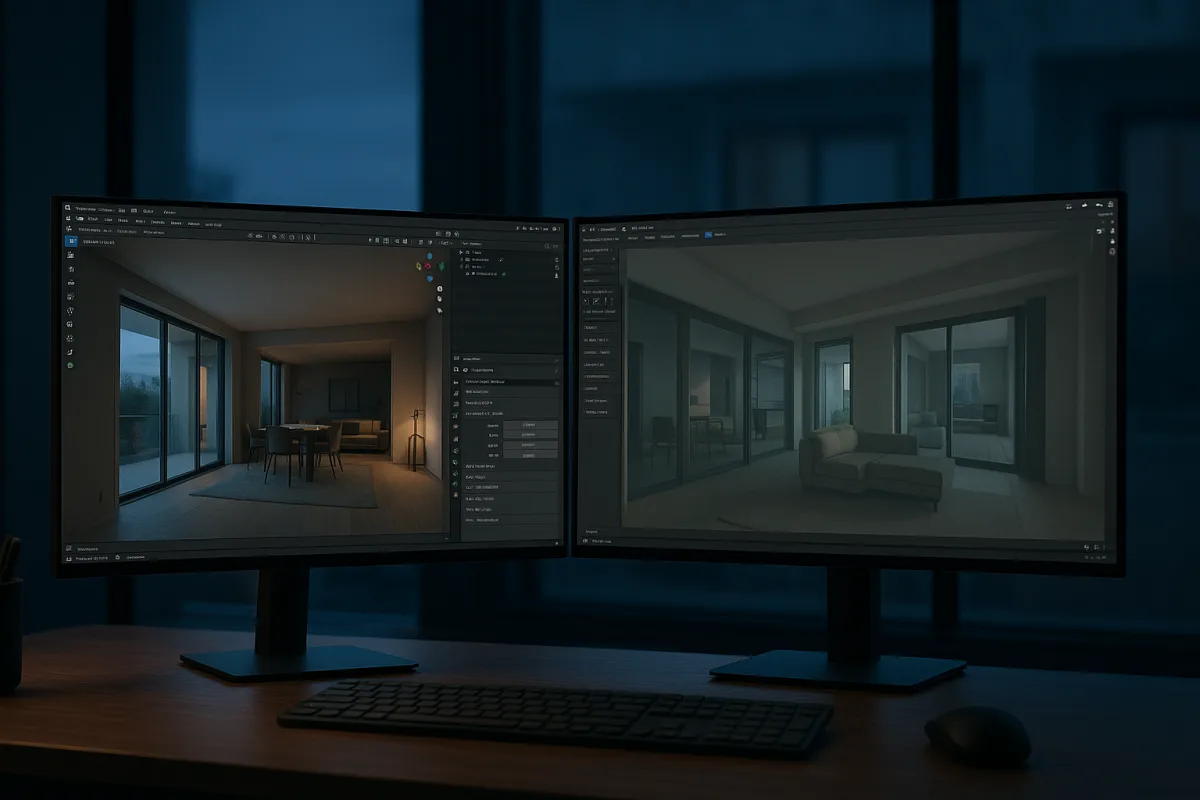
The decision: Blender Cycles or Blender Eevee Next?
For a Blender artist deciding how to render a project, the useful head-to-head is not really “Blender versus real-time.” Blender contains both approaches. In Blender 5.3, Cycles is the offline path-tracing option, while Eevee Next is the real-time raster renderer. [2][17]
My choice is straightforward. Use Cycles for final imagery whose job is to persuade a viewer that materials, light and scale are real. Use Eevee Next when the job is to make decisions quickly, show motion interactively, or deliver a deliberately efficient real-time look.
That is not a claim that Cycles is universally better. It is a choice based on what the image has to do. A browser configurator, a game scene and a motion-design preview do not benefit much from a render taking hours if the audience needs immediate response instead.
Cycles traces paths of light through the scene, building its result from physically based light transport. Eevee Next rasterizes the scene, using real-time approximations such as screen-space global illumination to provide rapid feedback. [2][17] Those are different engineering priorities, not simply a high-quality and low-quality switch.
The same test for both renderers
| Criterion | Blender Cycles, Blender 5.3 | Blender Eevee Next, Blender 5.3 |
|---|---|---|
| Core method | Offline, physically based path tracing. | Real-time rasterization with real-time lighting approximations. |
| Lighting fidelity | Stronger for complex indirect light, reflections, caustics and subtle material response. | Convincing in many scenes, but more dependent on screen-space information, scene setup and practical compromises. |
| Look-development speed | Slower to resolve final noise, although GPU rendering and denoising can make iteration practical. | Immediate viewport feedback makes it faster for broad lighting, material and camera decisions. |
| Final-output suitability | Best suited to high-resolution stills, close-ups and hero frames where artifacts become visible. | Best suited to previews, stylized work, fast animation output and interactive presentation. |
| Asset requirements | Can accommodate very high-resolution textures, dense geometry, multiple bounces and expensive shaders. | Rewards texture budgets, efficient shaders, sensible polygon counts and planned lighting. |
| Topology pressure | Less pressure to optimize solely for frame rate, though clean topology still matters for deformation, baking and shading. | More pressure to manage triangle counts, draw calls, LODs and shader complexity for responsive scenes. |
| Resolution and delivery | A practical choice when output needs to exceed 4K or tolerate long calculation times. | Often targets 1080p-class real-time performance, although final output settings depend on the scene and platform. |
| Hardware implication | Benefits heavily from capable CPU or GPU hardware, especially for complex path-traced scenes. | Also benefits from a strong GPU, particularly when scenes use demanding dynamic lighting and geometry. |
| Main failure mode | Render time grows sharply as the scene becomes more complex or cleaner output is required. | Lighting and reflection shortcuts can show through, especially in close, glossy or intricate shots. |
| Best audience | Artists making photoreal stills and polished final frames. | Artists and teams needing interactive feedback, rapid iteration or real-time presentation. |
The table makes the practical difference clearer than renderer labels do. Both can produce attractive images. The distinction emerges when the camera gets close to a brushed metal edge, a rough clear coat, layered glass, shallow indirect shadow, or a product sitting in a reflective environment.
Cycles is more likely to keep those relationships coherent because its basic model follows light paths rather than replacing every expensive calculation with a real-time shortcut. That carries a computational cost. Complex Cycles scenes can take hours or days, while real-time rendering is designed to update close to immediately by simplifying lighting and material calculations. [9][13]
Eevee Next is not therefore a “preview-only” renderer. That is an old habit of thought, and habits are not rules. A stylized scene, graphic motion piece, social animation or broad architectural walkthrough can look completely appropriate in Eevee when the lighting and materials are designed with its limits in mind.
Lighting is where the choice becomes visible
A renderer changes the way you light because it changes what the renderer can afford to calculate. In Cycles, I would expect to spend more time assessing light size, bounce contribution, roughness variation and whether a material’s micro-detail reads at the final camera distance.
In Eevee Next, the same artistic decisions still matter, but the scene must also be designed for the renderer’s shortcuts. Screen-space methods only know what is currently available to the camera. A reflection, shadow or indirect-light cue may need deliberate scene construction rather than an assumption that the renderer will discover it naturally. Eevee Next’s screen-space global illumination is part of that real-time strategy. [17]
This is why a beautiful viewport material can still fail as a final product image. The texture may be detailed, but the visual proof of its material, reflected environment, grazing highlights and soft interreflection may not hold up. For hero work, Cycles gives more reliable evidence.
There is also a useful middle ground: block the scene in Eevee Next, establish cameras and major light direction, then render finals in Cycles. Blender Studio’s Blender Fundamentals training presents Cycles and Eevee as complementary lighting and rendering tools rather than mutually exclusive pipelines. [18] That workflow is not mandatory, but it is often the least wasteful one.
Topology, texture budgets and the cost of being interactive
Render method does not excuse poor modeling. Bad silhouette, uncontrolled smoothing, inconsistent bevel width and weak UVs will look wrong in either renderer. The difference is that real-time output turns performance into another visible part of the asset’s craft.
For Cycles, an asset can use high-resolution 4K or 8K textures, substantial displacement, dense geometry and many light bounces when the image needs them. The cost is render time and memory. Denoising, sampling choices and render scheduling become part of delivering the frame efficiently. [20]
For Eevee Next and real-time engines, artists normally work within lower texture budgets, commonly from 512 by 512 to 2K, and use LODs, baked maps and efficient shader graphs to protect frame rate. [13][14] Those are not arbitrary technical chores. They decide whether the scene remains interactive enough to be useful.
A hard-surface prop illustrates the point. In a Cycles beauty render, you may keep enough bevel geometry and normal detail to make every edge catch the studio light convincingly. In real time, you still need those highlights, but you may bake small relief into normals, use LOD variants and avoid material setups that cost too much across many assets.
Topology itself remains about deformation, silhouette, smoothing and predictable baking before it is about a triangle count. But real-time work makes the count operational. A clean, economical mesh is more likely to survive being duplicated across a level, viewed on varied hardware and rendered alongside animation, physics and interaction.
Eevee Next is real-time, but it is not a game engine
This distinction matters because Blender Eevee Next can be fast enough that artists assume it replaces Unreal Engine. It does not. Eevee Next is a renderer inside Blender, while Unreal Engine is a real-time engine designed for interactive applications, with systems beyond rendering such as physics and AI. [4][16]
If the brief is a rendered turntable, a stylized animation or immediate look development in the modeling scene, Eevee Next may be all that is needed. If the brief is a game, virtual production environment, product configurator or interactive architectural application, Unreal Engine with Blender belongs in the comparison instead.
Unreal’s real-time workflow has narrowed the visual gap with offline rendering, particularly in carefully controlled scenes. But quality parity is not a fixed fact. It depends on scene complexity, the lighting problem, the target hardware and how close the viewer gets to the asset. [13][14]
That is also why it is risky to treat “real-time” as a single quality level. A polished Unreal scene, an Eevee Next scene and a web experience can each be real-time while making very different compromises. In one energy study, Unreal consumed 26 percent more energy than Unity with dynamic meshes, but that finding does not prove a universal quality or render-speed ranking. [1]
Hardware is not the deciding shortcut
It is tempting to call Cycles the expensive choice and Eevee the accessible one. The research does not support that as a blanket rule. High-quality offline work and demanding real-time work overlap considerably in their need for modern GPUs, substantial memory, fast storage and capable CPUs. [5][6][7]
The briefing identifies workstation recommendations built around high-end hardware such as Nvidia RTX 5090 or RTX 6000 Ada GPUs, AMD Ryzen 9 9950X3D processors, 64 GB of memory and NVMe storage. Those are 2026-era recommendations, not minimum requirements, and they show that interactive work can be just as demanding as offline work at the high end. [5][6][7]
What changes is where the budget goes. Cycles asks hardware to calculate a cleaner and more complete image over time. Real-time rendering asks hardware to maintain responsiveness continuously, often while the project runs animation, interaction and live scene updates.
Blender updates are pushing on both sides of that divide. The Blender 5.1 to 5.3 period includes enhanced Raycast shader-node work, Geometry Nodes-based physics developments and Nvidia DLSS 4.5 integration. [10] These features may improve performance and workflow, but they do not erase the fundamental difference between converged path tracing and a renderer built to sustain interactive frame rates.
The wider field around the Cycles versus Eevee decision
The two Blender-native options are the cleanest starting point, especially because both are entry-level routes in this field. Blender Cycles suits artists seeking a free, open-source path tracer for photorealistic images across NVIDIA, AMD, Intel and Apple hardware. Blender Eevee Next suits artists needing a free, open-source real-time renderer for fast feedback. [2][17]
At the mid-range, V-Ray for Blender suits professionals who need a versatile Blender-compatible renderer with CPU and GPU options. OctaneRender for Blender suits artists who want GPU-accelerated rendering and real-time support. Arnold for Blender suits studios handling complex scenes where a high-quality integrated renderer is the priority.
The premium group is more specialized, rather than simply “better.” Unreal Engine with Blender suits developers building advanced interactive applications. Redshift for Blender suits artists needing GPU acceleration for complex scenes. Verge3D for Blender suits developers making interactive 3D experiences for websites. [16][21]
Also in that premium group, Marmoset Toolbag suits artists presenting individual assets with a strong real-time presentation workflow. KeyShot for Blender suits product-visualization work. Corona Renderer for Blender suits artists prioritising realism in complex scenes. LuxCoreRender for Blender is the exception to the price pattern, a free open-source option suited to artists who want advanced rendering features for complex work.
Those tools should not be treated as reasons to abandon Blender. They are choices made around the delivery requirement. A Substance-painted asset can be rendered in Cycles, inspected in Marmoset Toolbag, sent to Unreal Engine, or prepared for a Verge3D web scene. The asset needs coherent naming, UVs, normal maps and scale whichever renderer receives it.
Who each option suits
Choose Blender Cycles in Blender 5.3 if you make product imagery, portfolio stills, architectural finals, character portraits or advertising-style hero frames. It suits artists who can trade time for richer reflections, more reliable indirect light and higher-fidelity material response.
Cycles falls down when the project needs instant feedback from a client, playable performance or frequent changes across a long animation. You can optimize sampling and denoise, but path tracing remains a calculation-heavy method by design.
Choose Blender Eevee Next in Blender 5.3 if you make stylized work, previs, rapid camera studies, fast animation output or interactive reviews inside Blender. It suits artists who want lighting and material changes to answer immediately, then who can shape assets around real-time constraints.
Eevee Next falls down when the final image depends on subtle multi-bounce lighting, demanding glossy reflections, caustics or microscopic surface behavior at close range. It can make excellent final work, but it asks for more deliberate compromise.
Choose Unreal Engine with Blender instead of either as the final destination when the deliverable is genuinely interactive. That means a game, application, real-time configurator or live environment, not merely a quick render. Blender remains a modeling and content-creation partner in that pipeline, while Unreal supplies the broader runtime systems.
Frequently Asked Questions
When should I use Blender Cycles instead of Eevee?
Use Blender Cycles when you need high-quality final imagery such as stills, close product shots, architectural images, or marketing frames where accurate indirect light, reflections, and fine surface details are critical. Cycles is best for images where the goal is photorealism and materials and lighting must withstand close inspection.
What are the differences between Blender Cycles and Eevee Next?
Cycles uses offline, physically based path tracing to simulate light transport accurately, producing photorealistic results but requiring longer render times. Eevee Next is a real-time rasterization renderer that uses approximations like screen-space global illumination for fast feedback and iteration, making it suitable for previews, animations, and interactive presentations rather than ultra-high-quality final frames.
How does real-time rendering in Blender compare to offline rendering?
Real-time rendering with Eevee Next provides immediate viewport feedback by simplifying lighting and material calculations, enabling fast iteration and interactive review. Offline rendering with Cycles simulates light paths more accurately, resulting in higher fidelity images but with render times that can range from minutes to hours or days depending on scene complexity.
Can Eevee Next be used for final renders in Blender?
Yes, Eevee Next can be used for final renders when the style and lighting are designed to work within its real-time shortcuts. It is well suited for stylized scenes, motion graphics, social animations, and architectural walkthroughs where rapid iteration and real-time presentation are priorities, though it may not handle close-up reflections and subtle indirect lighting as accurately as Cycles.
What hardware is best for Cycles and Eevee rendering in Blender?
Both Cycles and Eevee benefit from capable hardware, particularly strong GPUs like NVIDIA RTX 5090 or RTX 6000 Ada and powerful CPUs such as the AMD Ryzen 9 9950X3D. Systems with 64 GB RAM and NVMe SSDs are recommended, and the hardware requirements for high-quality offline rendering and real-time rendering overlap significantly, so the choice depends more on workflow and output needs than hardware constraints.
How we researched this
This article was assembled from 21 cited references.
Nothing here is based on hands-on testing. Where a figure or finding appears, it belongs to the source cited beside it, and the writing says so rather than implying otherwise. Every source is listed below so you can check it.
Sources
- A Comparative Analysis of Energy Consumption Between The Widespread Unreal and Unity Video Game Engines
- Rendering — Blender
- Blender Rendering Time Comparison: Engines Explained
- Blender vs Unreal Engine: How Real 3D Pipelines Use Both | DigitalArts®
- Best CPUs for Blender Rendering in 2026 | PCBuildRanked
- PC Hardware Requirements for Real-Time 3D Rendering - TechnoRar
- Blender System Requirements 2026: CPU, GPU & RAM
- Cycles vs EEVEE in Blender 5.2: When to Use Each Render Engine
- Cycles vs Eevee Render Time: When Slow Quality Beats Fast Preview | Blender Render farm
- Blender update adds a time-saving feature 3D artists dreamed of
- 3D Rendering Trends 2026: Visualization Report
- What Is 3D Rendering? A Complete Guide to How 3D Scenes Become Images
- Offline vs Real-Time Rendering | VNTANA
- https://interactiveprimer.com/concepts/computer-science/computer-animation/rendering/real-time-vs-offline?utm_source=openai
- Blender Cycles
- Unreal Engine with Blender
- EEVEE - Blender 5.3 Manual
- Lighting & Rendering Theory Cycles and EEVEE - Blender Fundamentals 4.5 LTS - Blender Studio
- Blender Eevee vs Cycles: Main Differences Explained - blender
- Render Scheduling - Blender Developer Documentation
- Verge3D for Blender
Related Articles
Blender Rendering Time Comparison: Engines Explained
Explore Blender rendering time comparisons across various engines like Cycles and Eevee to find the best fit for your projects.
Blender Product Visualization Workflow for Realistic Renders
Learn a practical Blender product visualization workflow with lighting, rendering, and camera tips for photorealistic product renders.
Blender Visual Effects Workflow
Learn the Blender visual effects workflow: camera matching, lighting, rendering with EEVEE and Cycles, and compositing tips for seamless VFX shots.
Best Rendering Engine for Product Visualization in 2026
Compare KeyShot, V-Ray, and Blender Cycles to find the best rendering engine for product visualization workflows in 2026.