
Create Realistic Forest Scene Blender
Learn how to create a realistic forest scene in Blender with layered ecosystems, procedural trees, lighting, and look development techniques.
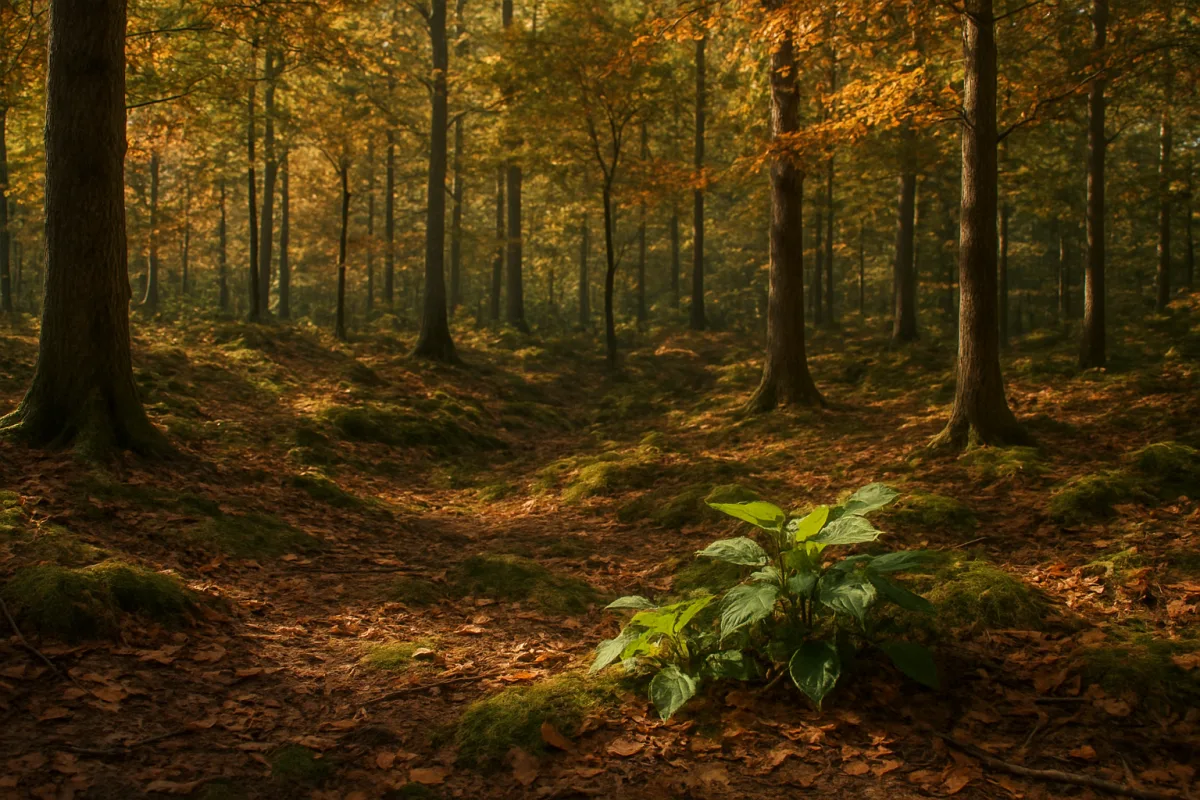
Start with the shot, not the asset library
The first problem is scale. A forest is not one asset multiplied 10,000 times, it is a sequence of depth layers with different silhouette, density and contrast. Before opening an asset browser in Blender 4.x, establish the camera height, focal length and direction of travel.
A ground-level shot needs close trunks, low plants and foreground occlusion. A wide aerial shot needs readable canopy shapes and terrain breakup. Those are different scenes, even if both contain the same species of tree.
Block the terrain with a low-resolution mesh first. A simple displaced plane is enough to answer whether the hillside, clearing, streambed or trail leads the eye where it should. Do not begin by scattering grass across a flat plane.
For terrain generation in Blender 4.x, Terrain Mixer and A.N.T. Landscape are appropriate starting points because they provide procedural terrain workflows compatible with current Blender releases. Terrain Mixer suits layered terrain construction, while A.N.T. Landscape is useful when you need a quickly generated base landform. [8]
Neither tool replaces art direction. Use the generated terrain as a starting mesh, then establish erosion-like channels, flatter planting areas and sharper changes where rock should emerge. Perfectly smooth noise displacement reads as computer-generated, especially under low-angle sunlight.
Build the canopy before worrying about grass
The canopy controls the forest’s largest shapes, shadow pattern and perceived age. Place a few manually chosen hero trees near the camera and along the visual path first. These trees need the strongest trunk taper, branch character and root contact.
Modular Tree, available through Blender Extensions, is useful here because it creates node-based trees with biologically informed procedural controls. It is a better fit for making related but non-identical tree families than duplicating one imported trunk and rotating it repeatedly. [18]
Create several tree classes rather than one master tree. Make a mature canopy tree, a younger thinner tree, a damaged or leaning tree and a dead trunk. The dead tree matters because forests gain credibility from interruption, not just healthy growth.
For photorealistic foreground trees, a practical target is roughly 2,000 to 8,000 triangles per tree. For lower-detail or real-time trees, 2,000 to 4,000 triangles is a more useful range, but those figures are targets rather than rules. [3][4]
The correct count depends on distance, platform and framing. A trunk filling one third of the frame deserves more geometry than a background tree reduced to a dark vertical shape. Do not spend geometry on branches that will become sub-pixel detail.
Use LOD versions deliberately. Keep a detailed near tree, a reduced middle-distance version and a far tree built around a simpler trunk and foliage cards. Alpha-card foliage with wind animation remains a common way to preserve a leafy silhouette without modeling every leaf. [5]
This is also where asset libraries earn their place. Graswald is widely used for photorealistic nature assets, while Grassblade and Tree Vegetation provide broad libraries of grass, plants and seasonal variants. [1] Use them as a source of species variety, not as a substitute for composition.
The research does not provide direct performance comparisons between these Blender add-ons and tools such as Houdini, ZBrush or Substance 3D Painter. Do not assume an external application is automatically faster or more realistic for forests, because no supported benchmark establishes that.
Make distribution respond to the ground
Once the canopy works, the next hard problem is population. A forest rarely has uniform density. Trees cluster in favorable ground, thin near paths and water, and give way to grasses, mosses or exposed soil under different light conditions.
Geometry Nodes in Blender 4.x is the most flexible foundation for this. Use attributes or painted masks to separate zones for canopy trees, saplings, ferns, grass, rocks and deadfall. Procedural generation is valuable because those masks can drive the entire ecosystem. [20]
A useful setup starts with slope, height and distance masks. Exclude steep faces from broadleaf saplings, reduce grass beneath dense canopy, and increase moss or leaf litter where light is low. Then add a hand-painted mask for the locations procedural logic cannot infer.
Gscatter by Graswald is suited to artists who want a dedicated scattering workflow alongside ready-made natural assets. Procedural Forest Generator is another specialized option for building large forest populations, while Blender’s native Geometry Nodes remains the more adaptable choice for custom systems. [6][19]
There is no single best procedural workflow. The quality depends on your masks, asset variation and density decisions. If you scatter the same high-detail tree evenly across every square metre, the fact that the system is procedural will not make the scene natural.
Use randomization with constraints. Vary rotation, scale, age, leaf tint and species selection, but set believable limits. Random scale from 0.2 to 3.0 is variation mathematically, not variation botanically. Trees should still share a plausible species relationship.
Avoid the particle-system traps
Blender particle systems can still be effective for grass, needles, small plants and quick distribution work, particularly where a Geometry Nodes graph would be excessive. Their common failure is not the tool itself, but uncontrolled counts and poorly prepared emitters. [15][16]
First, verify the particle type. Hair-style systems suit static distribution, while emitter particles suit animated emission. Confusing the two leads to awkward results, unnecessary simulation settings and scenes that become harder to troubleshoot than they need to be. [15]
Second, give the emitter enough mesh resolution if distribution must follow detailed terrain. A coarse ground mesh cannot accurately support masks based on shallow gullies, path edges or small slopes. Fix the terrain or use a more suitable distribution surface.
Third, control density with maps. Do not raise the particle count until the viewport collapses. Use density masks, culling by camera distance and several species groups, so the system creates irregular patches rather than an evenly carpeted lawn.
Grouped objects also need clean origins and consistent alignment. Misaligned grass instances are a familiar particle problem, particularly when blades inherit unexpected object rotation. Apply or manage transforms before scattering, then test one instance at full scale before multiplying it. [17]
Watch shadows after instancing. Cycles can show odd shadow behaviour with object-rendered particles in some setups, and child particles or randomized scale have been reported as workarounds in a documented Blender Stack Exchange case. [22] Test a small patch before committing to millions of blades.
Build materials around age, moisture and light
A realistic forest material set is not a collection of green shaders. The important distinctions are wet versus dry, young versus old, sun-facing versus shaded, and living foliage versus dead organic matter. Those differences organize the image.
For foreground work, 4K textures are a normal photorealism ceiling, particularly on bark, large leaves and close rocks. Background assets can use lower resolutions, baked maps and compression, because distant texture detail costs memory without improving the final frame. [3][4]
Build bark with more than color variation. Add roughness shifts, subtle vertical darkening, moss accumulation near roots and a separate wetness response. A tree trunk that is uniformly rough and uniformly brown often looks more artificial than a lower-poly trunk with good material breakup.
Graswald can provide the scanned vegetation foundation, while Modular Tree supplies controlled structural variation. [1][18] That combination is useful because scans can carry convincing surface detail, while procedural trees prevent every trunk from sharing exactly the same branching rhythm.
For leaves, randomize color per instance or per branch group rather than plugging one green texture into every material. BlenderNation’s leaf-randomization guidance supports this approach, and it is especially important where sunlit leaves overlap against dark shade. [13]
Seasonal change can be handled through the same system. Drive leaf density, hue and species mix with a season value. Thin the canopy for autumn, shift selected leaves toward yellow or brown, reduce understory density, and expose more deadfall rather than merely changing a green slider.
Light the gaps between trees
The usual lighting mistake is treating a forest as a dark room filled with trees. Natural woodland is shaped by sky contribution, broken sunlight and reflected light from the ground. The spaces between forms are as important as the forms themselves.
In Blender 4.x, begin with an HDRI that matches the intended weather and sun direction. Forest or field HDRIs in the 6K to 16K range are suitable for natural daylight environments because they provide broad sky illumination and believable directional information. [11]
Then shape rather than replace that environment. A three-point lighting mindset remains useful: define a key direction, allow softer fill from the sky, and use rim or edge separation sparingly where trunks need to read against the background. [9][10]
Large area lights are especially helpful when the HDRI alone leaves the foreground unreadable. Keep their shadows soft and directionally plausible. A bright artificial-looking patch on the ground will break the illusion faster than a slightly darker render.
Do not brighten every shadow. Forests need deep values, but the viewer must still read bark, roots and understory shapes. Check the image in grayscale. If the canopy, trunks and ground all merge into one value band, add separation through lighting or material response.
Render for foliage noise without guessing at render time
For a 4K photorealistic forest scene in Blender 4.x Cycles, start around 64 to 128 samples, enable adaptive sampling and use denoising. A noise threshold between 0.1 and 0.001 gives a practical range for balancing cleanup against render cost.
Begin near 0.1 for look development and move lower only for final frames where leaf edges, glossy wet bark or shadowed grass remain unstable. Forest scenes can contain enormous amounts of thin geometry, so sample count alone is not a quality guarantee.
There are no reliable universal render-time benchmarks for 4K Blender forest scenes. Render time depends heavily on hardware, instancing strategy, texture memory, light paths, foliage transparency and the actual camera view. Do not plan a deadline around someone else’s minute-per-frame claim.
Use viewport and camera culling aggressively. If a tree is hidden behind the camera, it does not need full-detail leaves. If a distant hillside reads only as a dark mass, use a cheaper LOD, simplified cards or a lower-density population.
Finally, render small diagnostic crops before full frames. Test a sunlit canopy edge, a shaded grass patch, a wet trunk and the most distant tree line. Those four areas will reveal whether your materials, scatter density and Cycles settings are doing useful work.
Frequently Asked Questions
How do I create a realistic forest scene in Blender using Geometry Nodes?
Start by establishing the camera setup and blocking out terrain with a low-resolution mesh using tools like Terrain Mixer or A.N.T. Landscape. Build the canopy first by placing hero trees manually, then use Geometry Nodes to distribute vegetation based on slope, height, and distance masks. Combine procedural trees from Modular Tree with scanned or library assets to add variety and realism.
What are best practices for lighting and look development in Blender forest scenes?
Use Cycles with 64 to 128 samples, adaptive sampling, and denoising to optimize render quality and time. Treat lighting, leaf color variation, and ground cover as a unified look-development problem, avoiding uniform green materials or lighting values to prevent flatness. Employ a combination of key, fill, and rim lighting to simulate natural daylight and add depth.
How can I avoid repeated silhouettes in Blender forest modeling?
Mix procedural trees created with Modular Tree and scanned or library vegetation assets from Graswald, Grassblade, and Tree Vegetation. Create several tree classes such as mature, young, damaged, and dead trees to introduce natural variation. Avoid duplicating one tree model repeatedly by using node-based procedural controls to generate related but non-identical trees.
What are effective workflows for layering forest ecosystems in Blender?
Build the forest as a layered ecosystem starting with terrain and canopy, then add understory plants, debris, and isolated hero plants visible to the camera. Use masks and attributes in Geometry Nodes to separate zones for different vegetation types and ground cover. Adjust density and distribution according to ground features like slope and light levels for natural variation.
How do I optimize forest asset distribution with particle systems and Geometry Nodes in Blender?
Use Geometry Nodes to control population density with slope, height, and distance masks, excluding or increasing vegetation in appropriate zones. Reserve high-detail assets and 4K textures for foreground trees only, while using lower-detail models and alpha cards for distant vegetation. Avoid excessive particle counts and ensure natural variation to maintain performance and realism.
How we researched this
This article was assembled from 22 cited references.
Nothing here is based on hands-on testing. Where a figure or finding appears, it belongs to the source cited beside it, and the writing says so rather than implying otherwise. Every source is listed below so you can check it.
Sources
- Graswald - Add Realistic Nature to 3D Scenes 2026 | SwitchTools
- Cozy Forest Biome Asset Pack - Documentation - Superhive (formerly Blender Market)
- 3D Trees Collection 01 - North European Forest Model - TurboSquid 2184330
- 10 Realistic Trees | BlendAtlas
- Creating Game-Ready Foliage in Blender: Alpha Cards, LOD…
- Procedural Forest Generator for Blender | DIGITAL PRODUCTION
- Create a Realistic Forest in 30 Minutes | Blender 2.8 Tutorial
- How to Master Procedural Terrain in Blender (2026 Guide) - Toxigon
- How to use key, fill and rim lighting in 3D art
- Blender lighting: light types, soft shadows, 3-point setup
- Forest HDRI Skies (30) for Woodland Arch-Viz Renders | HDRI Hub
- Stop Blaming Your Materials: The Real Reason Your Blender Renders Look Lifeless — BlenderCG
- Randomizing Leaf Color - BlenderNation
- Testing Nvidia's RTX Mega Geometry tech - VRAM-reducing tech a leap forward for path-traced rendering
- Blender particle system: emitters, hair and force fields explained - Blog - CGI Academy Hub
- Particle Systems in Blender
- Aligning grass blades in particles group distribution :: Blender Mama
- Modular Tree — Blender Extensions
- Gscatter by Graswald | BlenderNation Bazaar
- How Procedural Generation Works in Blender Geometry Nodes - blender
- 3D Tudor - Ivy Generator — Procedural Foliage in Blender
- Particle system rendered as object has weird shadow issues in Cycles, that is fixed when using children or random scale - Blender Stack Exchange
Related Articles

Volumetric Clouds in Blender
Learn how to create volumetric clouds in Blender with modeling, shading, and lighting techniques for realistic renders.
Create Realistic Environment in Blender: Step-by-Step Guide
Learn how to create a realistic environment in Blender with tips on terrain, texturing, lighting, and scale for believable 3D scenes.
Blender Tips for Creating Landscapes
Learn Blender tips for creating landscapes, including sculpting, resolution management, and using Geometry Nodes for natural detail.

Create Realistic Sky in Blender
Learn how to create a realistic sky in Blender using procedural textures, HDRIs, and sun direction for believable outdoor lighting.