
Fix Lighting Issues in Blender
Learn how to fix lighting issues in Blender by balancing exposure, HDRI, and light falloff for better renders in Cycles and Eevee.
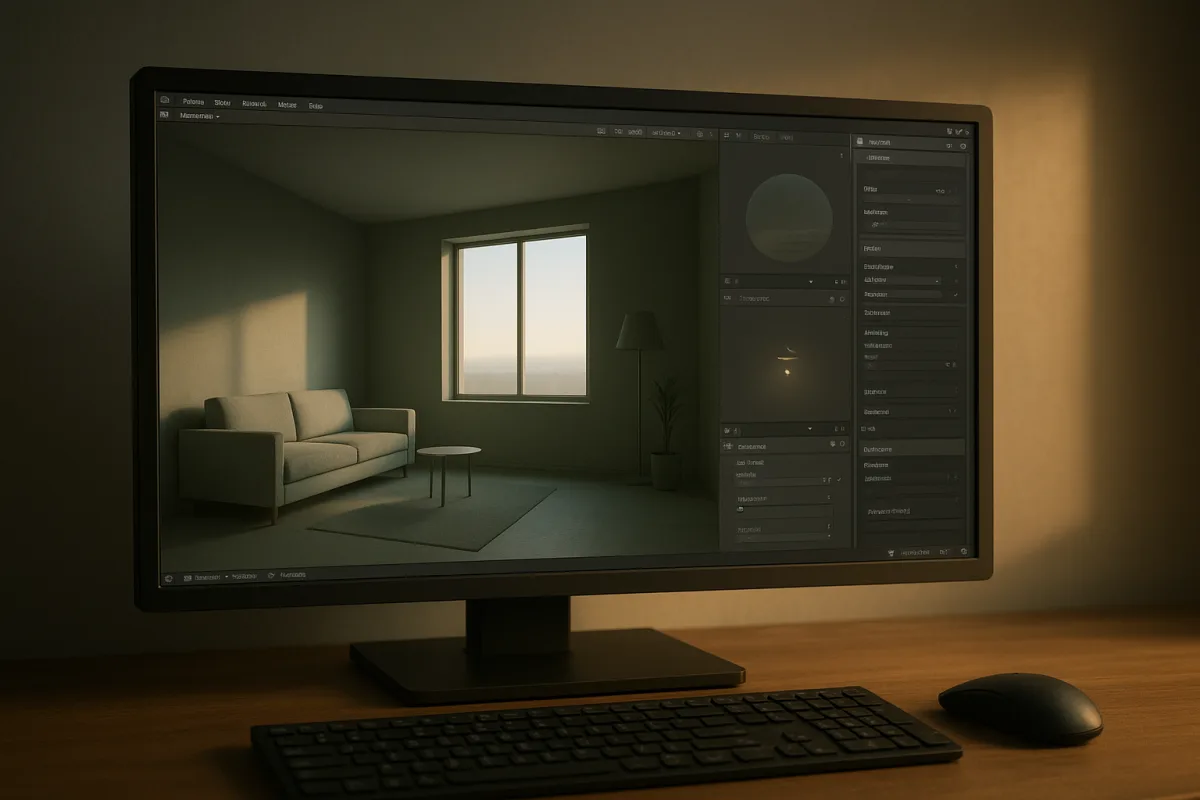
The lighting problem is usually an exposure budget problem
I am working in Blender 5.2 LTS here, whose current Cycles light documentation makes a useful point: a render’s brightness is not determined by a lamp’s power alone. It is the result of every illumination source, surface response and exposure decision working together. [18]
That sounds obvious until a model comes back nearly black and the reflex is to double every light. A dark render can be caused by insufficient direct light, certainly, but also by low scene exposure, an underpowered world, or an HDRI facing the wrong way. [1][2][6]
Think of it as an exposure budget. Direct lights put energy into the scene, the World shader contributes environmental light, materials decide how that energy is reflected, and exposure maps the result into the viewable image. Change one term without inspecting the others and diagnosis becomes guesswork.
This is why adding a fill light can appear to solve an underexposure problem. It raises the pixels, but it also changes the shape of the lighting, softens intended contrast and may introduce an extra reflection. The image becomes brighter without necessarily becoming correctly lit.
A useful first move is to separate brightness from design. Ask whether the subject is dark because it receives too little illumination, or because the render is being displayed too dark. Those are different faults, even when they produce the same black jacket or unreadable chair leg.
Start with the world, not another Area light
HDRIs are especially good at disguising the real problem. An HDRI is both a background environment and a lighting source, so its bright sun, overcast sky or dark studio walls affect diffuse illumination, reflections and shadow direction at once. [6][15]
In Blender, World strength of 1.0 represents the HDRI’s original brightness. That does not make 1.0 objectively correct for every scene. It only means Blender is not scaling that image up or down before it contributes light. [7]
If an HDRI-lit scene is dark, increasing World strength is one valid response, but it is not automatically the right one. Raising strength brightens the environment broadly, including reflections that may already be correct, while scene exposure lifts the rendered image as a whole. [6][7]
Rotation is the third control. Turning an HDRI changes where its bright regions appear relative to the model, so it changes highlight placement and the direction of environmental shadows. A world can have adequate total brightness but still leave the face of a character unlit. [6][15]
That distinction matters in look development. If a hard HDRI sun sits behind the subject, increasing its strength makes the rim brighter and the camera-facing side only modestly more useful. Rotate it first, then judge whether its strength and overall exposure still need adjustment.
This is the practical order I teach: establish the HDRI’s direction, evaluate its native range, then balance strength and exposure. It is a habit rather than a rule, but it prevents the common fix of using a brighter sky to compensate for a badly aimed one. [6][7]
Why quadratic falloff decides whether your fix behaves sensibly
The most important mechanical idea behind local lights is falloff. Point and Spot lights spread their output through more space as distance increases, so a physically plausible light does not illuminate an object equally at one metre and ten metres away. [17][19]
Blender’s quadratic attenuation is the physically accurate default. In simple terms, doubling the distance from a small local source spreads its energy over roughly four times the area, so the illumination falls sharply rather than fading at a leisurely, artistic rate. [17][19]
That is why moving a Point light a short distance can change a render more dramatically than a modest power adjustment. It is also why a room scaled ten times larger needs a different lighting strategy from a product render, even if both use identical numeric light settings.
Linear and Constant falloff are available as non-physical alternatives, but they are poor defaults for ordinary scenes. Blender’s documentation and older attenuation reference warn that they can keep distant surfaces excessively bright and create unrealistic accumulated illumination. [17][19]
The cost is not merely realism. A scene lit with overly broad, non-physical local lights can become harder to read because every recess receives too much contribution. Artists then lower material values or add contrast lights to compensate for a problem created by attenuation.
Distance settings are sometimes treated as a universal fix, but there is no credible universal number for them. Their useful range depends on scene scale, the intended source and the engine. A desk lamp, a streetlamp and a stadium floodlight should not share a recipe.
This is one reason imported scenes can be troublesome. If a model arrives from another application at an unexpected scale, a Point light may appear to fail even though its power is reasonable. The issue is often the relationship between source distance and object scale.
Choose the source shape before changing its power
Blender’s four standard light types are not interchangeable brightness sliders. A Point light emits in all directions from a localized source, which makes it appropriate for things such as a bulb, a small practical fixture or a compact accent. [17]
A Spot light is also localized, but confines its output to an adjustable cone. Use it when the source should have a deliberate beam shape, such as a stage fixture, flashlight or architectural downlight, rather than blocking a Point light with geometry. [17]
A Sun light is different because it uses parallel rays. Its location in the scene does not matter, only its rotation does, since it represents a source effectively at an infinite distance. Blender’s documentation gives 1000 W/m² as a clear-sky reference value. [17]
An Area light represents an emitting surface, usually rectangular in Blender. Its size is crucial because larger apparent sources create softer shadow transitions, while a very small Area light behaves more like a hard source. [17]
That is the principle behind a harsh-shadow fix. If the visual problem is an unnaturally sharp edge, raising intensity does not address the cause. Increase the apparent source size, or use a source that matches the scale of the window, softbox or fixture being represented. [7][17]
Three-point lighting remains useful because it assigns jobs rather than treating lights as undifferentiated brightness. A key establishes direction, a fill controls shadow density and a rim separates the subject from its background, creating readable form without flattening it. [4]
It is not a law of nature. An HDRI studio setup may already supply an effective key and fill, while an exterior scene may be dominated by a Sun light. The value of the framework is that each added light must have a purpose. [4][15]
Shadows reveal whether the source or the renderer is wrong
A scene can look unlit when shadows are simply too dense, too coarse or detached from the object. Missing contact shadow information makes objects appear to float, even when the overall intensity and exposure are broadly reasonable. [12][13]
Conversely, extremely dark shadow areas do not always require a stronger fill. First inspect whether the key is too small, whether the HDRI provides no useful ambient contribution, or whether a material is absorbing more light than the intended reference. [5][7]
In Eevee, shadow bias deserves particular suspicion when you see acne, detached shadows or a visible gap beneath an object. Bias exists to prevent self-shadowing artifacts, but excessive bias can make a mesh look as though it is hovering. [12][20]
Low shadow-map resolution can also turn a good lighting design into a pixelated one. More lamp power cannot restore detail that the shadow representation has discarded. Solve the shadow setup first, then return to the exposure budget. [12][13]
Cycles approaches shadowing through path tracing and is generally more physically faithful, but it needs sufficient samples and sensible denoising to resolve the result cleanly. Eevee prioritizes real-time speed and uses approximations that require more deliberate shadow and probe setup. [16][20]
Do not assume a Cycles setup will transfer one-to-one into Eevee. Blender Studio’s training material specifically identifies the need to understand Eevee’s lighting approximations, while Blender documentation distinguishes its real-time shadow controls from Cycles’ rendering approach. [20][16]
Do not mistake noise for underlighting
Fireflies are another reason people over-light a scene. They are isolated, abnormally bright pixels, often associated with difficult light paths or reflective and refractive conditions. Increasing light intensity to overpower them can make the whole render worse. [3]
This is a sampling problem, not proof that the set needs another lamp. Cycles may need more samples, denoising or a review of the materials and lighting paths producing those extreme values. Blender Guru’s firefly guide treats them as a distinct rendering artifact. [3]
The same separation applies to flatness. A model can be well exposed but lifeless because it has one broad, frontal source and no directional contrast. That is a lighting-design issue, not an intensity issue, and a stronger frontal light normally deepens the problem. [4][5]
Color also belongs in this diagnosis, although exact Kelvin targets depend on the reference. Sources discussing domestic lighting commonly place warm indoor illumination around 2700K, while outdoor guidance emphasizes warmer, lower-impact lighting in roughly the 1000K to 2700K range. [9][10]
Those figures are reference points, not render presets. What matters is whether the color relationships support the materials and scene story. A neutral product studio, a candlelit interior and a moonlit exterior need different white-balance decisions even at identical exposure.
A repeatable correction pass
When a Blender render looks wrong, temporarily stop adding lights. Check the World contribution and HDRI rotation, then assess scene exposure, then decide whether the subject lacks illumination or merely lacks directional separation. [2][6][7]
Next, inspect the existing key source. If its shadows are too hard, alter source size rather than power. If the subject is dark only because the source is far away, respect quadratic falloff and reconsider placement, scale or the source type. [17][19]
Finally, validate the result in the render engine you will deliver. For Cycles, assess samples, denoising and fireflies. For Eevee, inspect shadow bias, resolution and the lighting support required by its real-time approximations. [3][12][16][20]
That process is slower than dragging a power slider for ten seconds, but it produces a lighting rig you can explain. More importantly, it prevents the familiar chain of compensations where brighter lights, darker materials and crushed exposure fight each other until nobody knows what actually fixed the image.
Frequently Asked Questions
How do I fix dark renders in Blender?
A dark render often results from an imbalance between light output, world illumination, and scene exposure rather than just insufficient lighting. Before adding more lamps, check if the scene exposure is too low, the world environment is underpowered, or if an HDRI is misconfigured. Adjusting these factors together provides a more accurate fix than simply increasing light intensity.
Why does my Blender render look underexposed?
Underexposure can be caused by low scene exposure settings, insufficient direct or environmental lighting, or an HDRI facing the wrong direction. It is important to diagnose whether the subject is dark due to lack of illumination or because the render display settings are too dark, as these require different solutions.
How to adjust HDRI lighting in Blender?
Treat HDRI strength, rotation, and scene exposure as a combined system. First, rotate the HDRI to position bright areas and shadows correctly relative to your model. Then evaluate if the HDRI’s native brightness (world strength) and overall exposure need adjustment. Increasing HDRI strength alone can brighten unwanted reflections or shadows.
What causes lighting issues in Blender Cycles and Eevee?
Cycles and Eevee require different lighting setups because Eevee uses approximated shadows and indirect lighting. Eevee needs engine-specific settings such as light probes and shadow bias adjustments, while Cycles relies on physically accurate light calculations. Using the same lighting setup for both without adjustments can cause unexpected results.
How to balance exposure and light strength in Blender?
Exposure and light strength should be balanced carefully as part of the overall lighting system. Increasing light strength raises direct illumination, while exposure adjusts the final rendered image brightness. Adjusting one without considering the other can lead to incorrect lighting, such as overly bright reflections or poorly lit shadows.
How we researched this
This article was assembled from 20 cited references.
Nothing here is based on hands-on testing. Where a figure or finding appears, it belongs to the source cited beside it, and the writing says so rather than implying otherwise. Every source is listed below so you can check it.
Sources
- Why Does It Look So Dark In Blender? Troubleshooting Lighting - Kitchendemy
- Blender Render Too Dark? 10 Ways to Fix Lighting & Exposure
- 7 Ways to Get Rid of Fireflies Once and For All — Blender Guru
- How to use key, fill and rim lighting in 3D art
- Stop Blaming Your Materials: The Real Reason Your Blender Renders Look Lifeless — BlenderCG
- Fix HDRI Lighting Issues in Blender – MattePaint Academy | Mattepaint
- Blender lighting: light types, soft shadows, 3-point setup
- How to Add Lighting in Blender | Skillademia
- The Library: All the Basics You Need to Know About Lighting Before Starting Your Next Project, According to the Experts
- The Wrong Outdoor Lighting Can Upset Wildlife - but These Types Reduce Light Pollution & Create a Cozy, Inviting Nighttime Landscape
- 7 Ways to Achieve Realistic Lighting in Blender - Blendergrid
- Why My Shadows Not Exist In Blender? Troubleshooting Guide
- Lighting Techniques in 3D Rendering: HDRI, Ray Tracing, Realistic Shadows | Space Visual Blog | Space Visual
- 8 Common Mistakes to Avoid in 3D Architectural Rendering | SampleBoard
- Blender HDRI Lighting: Sun, Shadows & Lighting Only | HDRI Hub
- Blender Render Settings: Optimal Setup for Cycles & Eevee
- Light Objects — Blender Manual
- Light Settings (Cycles) - Blender 5.2 LTS Manual
- https://wiki.blender.jp/Doc%3A2.6/Manual/Lighting/Lights/Light_Attenuation?utm_source=openai
- Lighting & Rendering Theory Cycles and EEVEE - Blender Fundamentals 4.5 LTS - Blender Studio
Related Articles
Best Lighting Techniques for Blender Rendering
Discover the best lighting techniques for Blender rendering using Cycles and Eevee to create realistic, well-shaped 3D models.

Create Realistic Sky in Blender
Learn how to create a realistic sky in Blender using procedural textures, HDRIs, and sun direction for believable outdoor lighting.
When to Use Cycles vs Eevee for Rendering in Blender
Learn when to use Cycles or Eevee in Blender based on lighting needs, render speed, and scene complexity for optimal results.
Blender Product Visualization Workflow for Realistic Renders
Learn a practical Blender product visualization workflow with lighting, rendering, and camera tips for photorealistic product renders.