
Blender Visual Effects Workflow
Learn the Blender visual effects workflow: camera matching, lighting, rendering with EEVEE and Cycles, and compositing tips for seamless VFX shots.
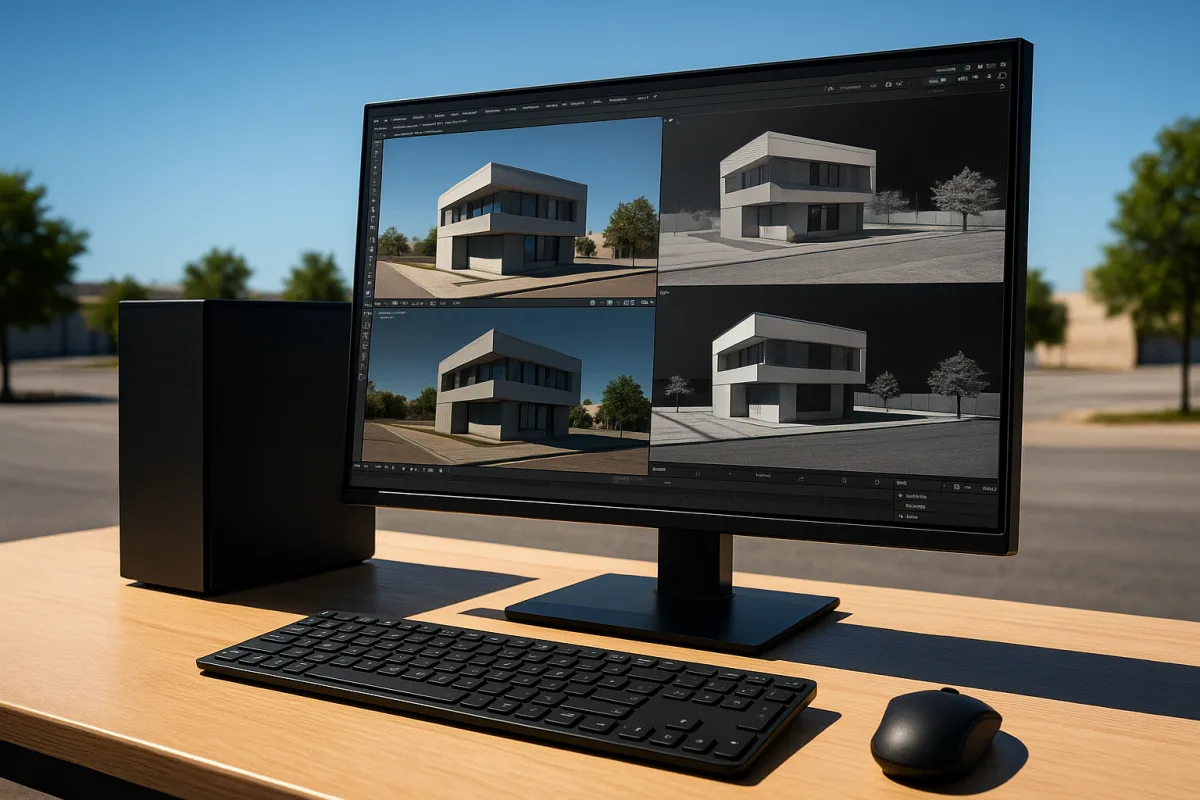
Start with the footage, not the effect
Most Blender VFX failures are not modeling failures. They are camera, lighting and scale failures that get hidden during viewport work, then become obvious the moment a CG object sits against real footage.
I would begin in Blender 5.2 LTS by bringing in the plate, setting the project frame range to match it, and establishing the shot camera before making a hero asset. The asset needs to solve a photographed problem, not merely look good in a neutral viewport.
Set real-world scale early. A simulated cloth flag, a smoke plume, a water splash and a hard-surface prop all respond differently when the scene is effectively built in centimeters instead of meters. Community guidance repeatedly identifies ignored scene scale and overcomplicated geometry as common sources of avoidable render and simulation trouble. [10][13]
For a tracked shot, use the tracked camera as the authority. Build simple proxy geometry for the floor, walls and nearby occluding objects before refining the visible model. That proxy gives reflections, contact shadows and light bounce somewhere plausible to land.
The practical goal is not a perfect recreation of the set. It is enough geometry to explain what the camera sees. A wall just outside frame can matter more than a beautifully modeled object in the background if it drives a large reflection.
Choose the renderer before you commit to materials
Blender offers two useful render approaches, but they solve different production problems. EEVEE Next is the fast iteration renderer, while Cycles is the path tracer you reach for when the shot depends on more physically faithful light transport. [1][9]
In Blender 5.2 LTS, use EEVEE Next while blocking the camera match, testing composition, placing lights and judging animation timing. Its quick feedback makes it useful when you need to answer simple questions: is the shadow facing the right way, does the prop feel too large, and is the silhouette readable?
Move to Cycles when the look depends on complex reflections, refraction, soft bounced light, translucent materials or detailed shadow behavior. It will take longer, sometimes much longer, but that cost is often cheaper than trying to paint around incorrect lighting in compositing. [1][9]
This is not a rule that Cycles is always the final renderer. A simple graphic effect, a stylised insert or a shot with limited lighting complexity may work well in EEVEE Next. The right choice is the one that produces the required image with controllable compromises.
For real-time delivery, Blender’s standard export options include FBX and glTF, while Alembic is better suited to transporting complex animated or simulated caches into an offline workflow. [9] The research does not provide engine-specific export recipes for Unreal Engine or Unity, so avoid assuming one export setting works everywhere.
Match the plate’s light before adding visual polish
Light matching is a measurement exercise. Identify the dominant direction, shadow softness, approximate colour temperature and the amount of ambient fill in the footage. Then build that lighting relationship in Blender, rather than adding attractive lights by instinct.
A bright overcast exterior needs broad, soft illumination and restrained contrast. A sunlit exterior needs a much clearer key direction and sharper contact shadows. An interior lit by warm practical lamps will usually need warmer local sources than the daylight visible through windows.
In Blender 5.2 LTS, place a simple stand-in object where the CG element will sit. A grey sphere, chrome sphere and rough cube still make useful diagnostic tools. They reveal whether your key direction, highlight width and environmental reflection are broadly believable before textures distract you.
Use a shadow catcher for the receiving ground or other plate-matched surfaces. The recommended Blender VFX workflow is to reconstruct the real lighting as closely as possible, then use a shadow catcher to place CG shadows onto the photographed plate. [6]
That shadow is often the first thing selling the composite. It gives the object weight, establishes its contact point and tells the viewer where it sits in space. A high-detail model without it can look less convincing than a simple model with a properly matched contact shadow.
Set colour management before rendering a sequence
Do not treat colour management as a final grading step. It controls how texture values, light intensities and rendered passes relate to one another, so it needs to be decided before you start approving material or lighting choices.
Blender’s colour-management documentation supports scene-linear workflows through OpenColorIO, with working spaces such as Linear Rec.2020 or ACEScg for broader production pipelines. AgX HDR and Filmic are display transforms, not replacements for scene-linear working data. [12]
For a shot moving between Blender 5.2 LTS, Substance 3D Painter and a compositor, ACEScg is a sensible pipeline choice when the rest of the job is configured for ACES. ACES is widely used in high-end VFX because it helps maintain more consistent colour handling across applications and displays. [7]
That does not mean ACES automatically makes a render cinematic. It means you have a managed way to preserve scene information and map it to a display. Exposure, white balance, material values and the grade still need deliberate judgment.
Keep the plate, render and compositor in compatible colour spaces. If the render looks right only in Blender but shifts after export, stop and inspect the transform chain before adjusting lights or repainting textures. That is a pipeline problem, not a shading problem.
Render the information you will need in compositing
A beauty render is useful, but it is not enough for a difficult shot. Render passes for diffuse, specular, shadow and reflection so the compositor can correct the part of the image that is wrong without damaging everything else. [6][7]
If a reflection feels too strong, an isolated reflection pass lets it be reduced. If the CG object needs more grounding, a shadow pass can be adjusted. If a prop is too glossy, specular information can be treated separately from its base colour.
This flexibility matters because live-action plates change. A client may ask for a darker sky, a different grade or a less reflective product finish after the 3D work is rendered. Passes do not eliminate rerenders, but they prevent minor notes becoming full lighting rebuilds.
Do not use render passes as an excuse to leave lighting unfinished. Compositing can refine an integrated image, but it cannot convincingly invent missing bounce light, incorrect reflection perspective or a shadow pointing in the wrong direction.
Build effects that remain editable
Geometry Nodes is Blender’s strongest answer to effects that need controlled variation: debris, leaves, crowd-like scatter, cables, instanced props, growth systems and procedural animation. It is comparable in intent to Houdini-style node workflows, though the best tool still depends on the job. [1]
In Blender 5.2 LTS, simulation zones allow information to influence later frames, making them useful for frame-to-frame behaviours rather than static procedural placement. [11] That is the foundation for effects that need history, accumulation, trails or evolving particle-like systems.
Use instances for repeated environment assets. A field of rocks or a pile of debris should usually reference a manageable set of source models, with controlled random rotation, scale and selection, rather than hundreds of unique dense meshes.
The Blender manual specifically recommends minimising geometry complexity, using instances and avoiding expensive operations such as Booleans on dense meshes when performance matters. [11] This is less glamorous than adding detail, but it is what keeps an effects scene responsive enough to iterate.
For water-like effects, understand the solver behavior you need. FLIP is appropriate for splashy, dispersed particle motion, while APIC is described as more stable and better at preserving vortices. Particle radius, sampling and randomness are meaningful realism controls, not arbitrary quality sliders. [11]
FLIP Fluids is an add-on aimed at advanced fluid simulation, according to Gachoki Studios’ add-on coverage. [5] The briefing does not provide a verified price, so treat it as a paid-tool candidate to check against its current vendor listing rather than assuming a cost.
Add-ons should remove bottlenecks, not define the shot
The supplied add-on field contains several useful categories, but no substantiated prices. Check current vendor pricing before budgeting, because the research brief does not support quoting figures for any of them.
Auto-Rig Pro suits character rigging and game-engine export. Animation Layers suits layered animation control, while Faceit suits facial rigging and performance-capture work. These are production accelerators when character work is central, not requirements for a shot containing one static creature. [3][4]
Hard Ops plus BoxCutter suit hard-surface modeling, particularly when you need rapid boolean-driven forms during asset development. RetopoFlow suits manual retopology, and Zen UV suits more efficient UV mapping work before texturing. [4]
Geo-Scatter suits procedural environmental scattering, while MACHIN3tools suits broader workflow improvements. Their value depends on how often you repeat the task they address. An add-on that saves minutes every day is valuable, while one used once may simply complicate the file. [3][4]
I have not personally used every add-on listed here, and the cited coverage is not a substitute for testing compatibility in your own pipeline. Install tools on a small shot first, especially where they create custom rigs, node groups or simulation caches.
Know when Blender is not the whole pipeline
Blender can carry a complete VFX shot, but a complete pipeline does not have to live in one application. Use Substance 3D Painter when the asset needs texture-painting depth, ZBrush or Nomad Sculpt when the form needs direct sculptural work, and Houdini when procedural simulation becomes the dominant challenge.
Plasticity can be a better starting point for clean manufactured forms, while Marmoset Toolbag can be useful for fast material presentation and baking-oriented work. The craft is preserving consistent scale, topology, UVs, colour handling and export intent between applications.
Blender 5.3 is reported to add native import and rendering for 3D Gaussian splats from PLY and SPZ files, enabling interactive photorealistic scene representations built from photographs or video. However, that release is scheduled for November 2026, after this guide’s October 2026 publication date. [2]
That makes Gaussian splatting something to plan for, not a Blender 5.2 LTS production dependency. When available, it may be especially useful for scanned locations and rapid photographic context, but it does not replace tracked cameras, compositing discipline or deliberate lighting decisions.
Keep the scene fast enough to make decisions
Blender’s published recommendations include an 8-core CPU, 32 GB of RAM, SSD storage and an NVIDIA GeForce RTX 4090 with 24 GB of VRAM for demanding work. Its minimum specification is much lower, including a 4-core CPU, 8 GB of RAM and a 2 GB NVIDIA GeForce 900-series GPU. [8]
Treat those minimums as the ability to run Blender, not evidence that a dense VFX scene will be comfortable. Complex geometry, high-resolution textures, simulations and Cycles renders all compete for memory and time.
Make a low-cost preview version of every expensive system. Reduce subdivision, instance rather than duplicate, cache simulations before final lighting, and avoid evaluating dense boolean networks every frame. Then raise quality where the camera genuinely benefits. [11][14]
Poor lighting, excessive polygon counts and ignored render optimisation are recurring mistakes identified in community guidance. [13][14] The common thread is simple: detail that does not survive the final frame is not production value, it is render cost.
Before committing to a long sequence render, make a short final-quality test containing the hardest frames. Include motion blur, the intended samples, denoising, full-resolution textures, simulation caches and compositing passes. A single approved still is not proof that frame 143 will work.
Frequently Asked Questions
How do I match lighting and camera in Blender for visual effects?
Begin by importing the footage plate and setting the project frame range to match it. Establish the shot camera using the tracked camera data if available, then build simple proxy geometry to represent key scene elements like floors and walls. Measure the dominant light direction, shadow softness, color temperature, and ambient fill from the footage, and recreate these lighting conditions in Blender before adding detailed assets. Use diagnostic objects like grey and chrome spheres to verify light direction and reflections.
When should I use EEVEE vs Cycles for Blender visual effects?
Use EEVEE Next during early stages such as camera matching, composition tests, lighting placement, and animation timing because it provides fast feedback. Switch to Cycles when the shot requires physically accurate reflections, indirect lighting, transparent materials, or high-quality shadows. Cycles takes longer to render but produces more realistic lighting, which is important for final-quality shots.
What is the best workflow for integrating CG elements into footage in Blender?
Start by matching the plate’s camera, scale, and lighting before creating detailed CG assets. Use proxy geometry to approximate the environment for reflections and shadows. Render key passes like shadow, diffuse, specular, and reflection separately to allow flexibility in compositing. Employ shadow catchers to project CG shadows onto plate-matched surfaces, ensuring the CG elements appear grounded in the real footage.
How can I render passes separately for compositing in Blender VFX?
Render shadow, diffuse, specular, and reflection passes separately rather than relying on a single beauty render. This approach provides more control during compositing to fix integration issues without re-rendering the entire scene. Blender’s VFX workflow recommends separating these passes to maintain flexibility and address lighting or shadow problems in post-production.
How we researched this
This article was assembled from 15 cited references.
Nothing here is based on hands-on testing. Where a figure or finding appears, it belongs to the source cited beside it, and the writing says so rather than implying otherwise. Every source is listed below so you can check it.
Sources
- Blender Review 2026: Free 3D Software That Replaces Maya and Cinema 4D
- Blender 5.3 finally gets game-changing native Gaussian splat support
- Best Blender Animation Add-ons (2026) | Project LEUC
- 6 of the Best Add-ons for Blender in 2026: Which One Do You Need?
- Best Fluid Simulation Addons for Blender | Gachoki Studios
- VFX in Blender: Complete Workflow From Footage to Final Shot
- The VFX Rendering Pipeline Explained: From Simulation to Final Composite (2026 Guide) - VFXRendering
- Requirements — Blender
- Blender: Realtime Rendering vs. Offline Rendering | Lazi Akademie
- 15 Essential Blender Tips and Tricks for Beginners in 2026 - Toxigon
- Simulation Nodes - Blender 5.4 Manual
- Color Management - Blender Developer Documentation
- Common Mistakes in Blender Video Production | 2026 Guide
- 10 Blender 3D Render Mistakes and How to Fix Them!
- Lightsaber VFX Version History — Blender Extensions
Related Articles
Blender Animation Storytelling Workflow
Learn Blender animation storytelling workflow using Grease Pencil, shot timing, camera moves, and scene building for clear narrative animation.
Blender Architectural Visualization Workflow
Learn the Blender architectural visualization workflow: import CAD, model accurately, set scale, and create realistic materials and lighting for renders.
Blender Cycles vs Eevee Rendering: Key Differences Explained
Explore Blender Cycles vs Eevee rendering to learn when to use each for final images, previews, and real-time workflows in Blender 5.3.
Best Lighting Techniques for Blender Rendering
Discover the best lighting techniques for Blender rendering using Cycles and Eevee to create realistic, well-shaped 3D models.