
Mastering Character Texturing with Adobe Substance 3D: A Comprehensive Guide

- Authors
- Published on
- Published on
In this riveting tutorial from Adobe Substance 3D, the team delves into the intricate world of character texturing, revealing the secret weapon for creating stunning textures: values. By meticulously crafting black and white value maps and seamlessly transitioning them into vibrant color maps using Substance 3D Painter, they showcase the artistry behind bringing digital characters to life. With a flair for the dramatic, they demonstrate how to use gradients and stylization filters to infuse depth and personality into character textures, elevating them from mere digital creations to dynamic, visually captivating entities.
The tutorial kicks off with a deep dive into the crucial role of bakes in the texturing process, emphasizing the importance of clean bakes for a smooth workflow. Through the innovative Auto-Cage feature in Substance 3D Painter, the team showcases how dividing high and low poly elements can streamline the baking process, ensuring precise results. They expertly navigate settings like anti-aliasing and mesh matching to achieve impeccable bakes, setting the stage for the subsequent texture creation process.
With a keen eye for detail, the team meticulously constructs the base color channel, layering on values to sculpt the character's form and volume. Leveraging generators like ambient occlusion and light generators, they masterfully manipulate shadows and highlights to breathe life into the character textures. The tutorial's focus on the nuanced interplay of light and shadow underscores the team's dedication to creating textures that not only look visually stunning but also exude a sense of depth and realism. By deftly adjusting local color values and incorporating layers like dirt and metal edge wear, they add layers of complexity and richness to the character textures, showcasing the artistry and craftsmanship behind digital character creation.

Image copyright Youtube
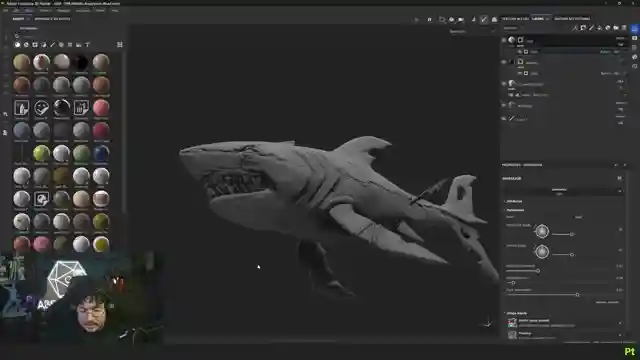
Image copyright Youtube
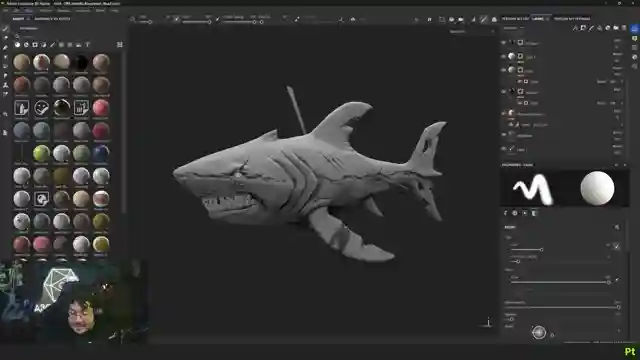
Image copyright Youtube
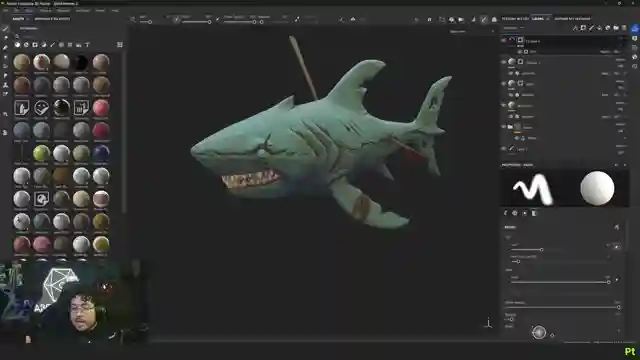
Image copyright Youtube
Watch Hand Painted Workflow in Substance 3D Painter | Adobe Substance 3D on Youtube
Viewer Reactions for Hand Painted Workflow in Substance 3D Painter | Adobe Substance 3D
Viewers praise Abe Leal for his expertise and teaching skills
Comments refer to Abe Leal as "the GOAT" (Greatest of All Time) in the 3D space
Viewers appreciate the detailed explanations provided in the tutorial
Some viewers express gratitude for the useful content and tutorials
Questions about the minimum version of Substance Painter required for the demonstrated process
One viewer mentions struggling with the speed of speech due to being a non-English native
Positive feedback on the video's quality and the instructor's skills
Related Articles

Mastering Gothic Texture Creation with Adobe Substance 3D Painter
Learn how to transform a hallway into a stunning gothic masterpiece using Adobe Substance 3D Painter. Discover texture creation techniques like applying Concrete Cast texture, adding moss details, and custom touches such as a dripping effect. Elevate your designs with brick patterns and intricate detailing. Subscribe for more creative tutorials!

Mastering Cyberpunk Building Textures with Adobe Substance 3D
Learn how to texture a Cyberpunk building using Adobe Substance 3D Painter. Explore creating brick patterns, grease effects, and rust accents for a gritty urban aesthetic. Discover expert tips for adding realism to metal details and neon signs. Dive into the art of texturing with precision and creativity.

Master Smart Materials: Adobe Substance 3D Tutorial
Learn how to create smart materials in Adobe Substance 3D with Pablo Muñoz. Organize layers, adjust custom masks, and apply effects for seamless reusability in various projects. Boost your creative workflow and build a library of assets with smart materials.

Texturing Shoe Design: Adobe Substance 3D Painter Tutorial
Watch Hussain Almossawi from Adobe Substance 3D Painter texture a shoe design inspired by sports cars using materials like leather and carbon fiber. Learn how to adjust colors, blend materials, and add details like logos for a unique and storytelling design process.